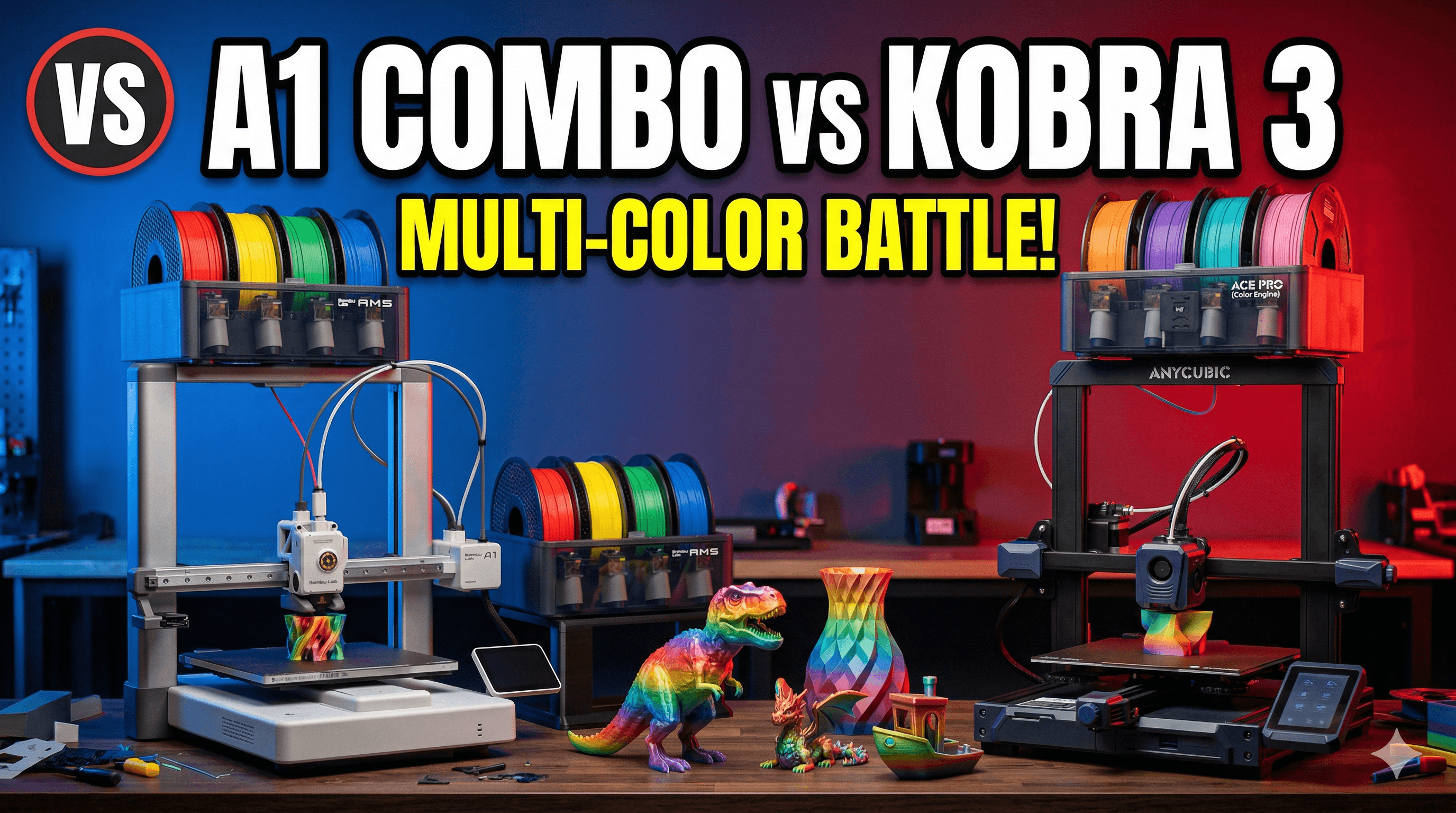
Anycubic Kobra 3 Combo Multi-Color Review: Budget AMS Alternative?
The Anycubic Kobra 3 Combo aims to bring multi-color 3D printing to a wider audience, potentially offering a budget-friendly alternative to premium systems. This review delves into its performance and features to determine if it truly lives up to the hype as a viable AMS replacement.

Anycubic Kobra 3 Combo Multi-Color Review: Is This My Budget AMS Alternative for ArtoPia Collections?
Oh man, the things we do for multi-color prints, right? You know that feeling. You see those stunning models with intricate color changes, and your heart just *aches* for that capability. But then you look at the price tag of a Bambu Lab P1S with an AMS, or even an X1C, and your wallet screams, "Hold up, buddy, we're not quite there yet!" Especially here in India, where those printers feel like a luxury car purchase. That's been my constant struggle, running ArtoPia Collections, always trying to balance stunning output with, you know, actually making a profit. So, when Anycubic dropped the Kobra 3 Combo with its fancy multi-color system, you bet your bottom rupee my ears perked up. Was this finally it? A proper, budget-friendly way to get into multi-color without selling a kidney?
I've been tinkering with this machine for a good few weeks now, putting it through its paces, pushing its limits with various Indian filament brands, and honestly, it's been a bit of a rollercoaster. I mean, Anycubic has always been a solid contender in the budget segment, but a multi-color system? That's a whole different ballgame. Let's dive into whether the Kobra 3 Combo can actually stand its ground, or if it's just a valiant effort that falls short of true AMS glory.
First Impressions: Unboxing, Assembly, and That "New Printer Smell"
Alright, so the box arrived, and it was... well, it was an Anycubic box. Pretty standard. Inside, everything was packed securely, which I always appreciate. Nobody wants a printer arriving with bits rattling around. Assembly, for anyone familiar with Anycubic's previous Kobra models, is pretty straightforward. It's mostly pre-assembled, so you're looking at attaching the gantry, the print head, the screen, and then all the bits for the multi-color unit – the ACS (Anycubic Color Engine) and the filament buffers. I'd say it took me about 30-40 minutes, tops, to get everything bolted down and cabled up. No major head-scratching moments, which is always a plus when you're itching to print.
The build quality feels decent. It's not going to win any awards for being ultra-premium, but it's sturdy enough. The machine has a respectable footprint, especially once you add the ACS unit and the four filament buffers dangling off the sides – make sure you have enough desk space! My little workshop, already cramped with other machines and stacks of filament, suddenly felt even more cosy. But, you know, that's the price of progress, right?
The Heart of the Matter: That Anycubic Color Engine (ACS)
Here's the deal, this is what everyone's really interested in. The ACS is Anycubic's take on multi-material printing. It's basically a bowden-style system that allows you to load up to four different filaments. It retracts the current filament, cuts it, then loads the next one. Pretty standard approach for multi-material systems that aren't using toolchangers.
Now, let's talk about the *experience*. Loading filament is fairly easy. You feed it into the buffers, and then into the ACS. The buffers themselves are pretty neat – they detect when filament is running low, which is a lifesaver, especially during long prints. In my experience, using filaments like eSUN PLA+ and some excellent Overture PLA I source, the feeding mechanism worked smoothly for the most part. I even tried a local Indian brand, Protoprint, and while it's usually great, I did notice it was a tad more brittle, leading to a couple of snapped filaments inside the ACS during retraction. That wasn't fun to clear out, let me tell you.
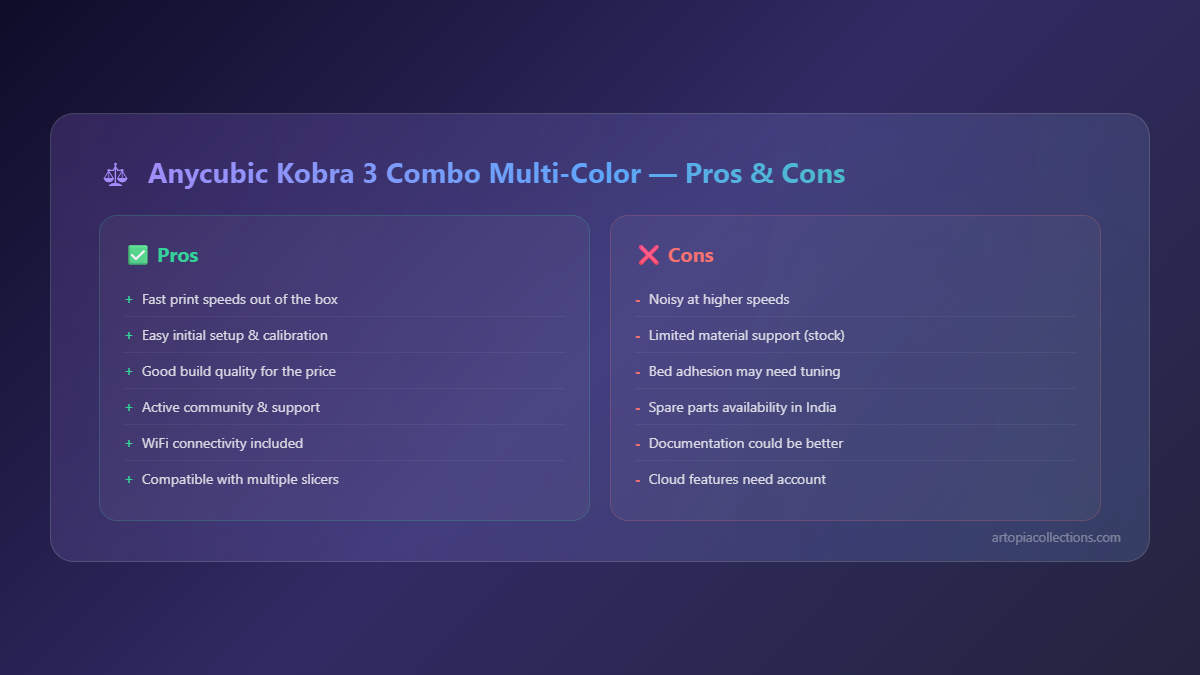
But the biggest thing, the *elephant in the print room*, is filament waste. Like any system that purges filament, the Kobra 3 Combo produces a "poop chute" full of discarded plastic. And it's a lot. For a print with frequent color changes, you can easily end up with more waste by weight than the actual model itself. This is where a Bambu Lab AMS, with its ability to wipe the nozzle against a brush and use minimal purge volumes, really shines. With the Kobra 3 Combo, you have to purge a significant length to ensure the new color is completely clean. This directly impacts your running costs, especially when I'm running prints for customers through ArtoPia Collections, where every gram counts. It's something you *really* have to factor in when quoting multi-color jobs.
Another point: speed of color changes. It's not lightning-fast. The retraction, cutting, loading, purging cycle takes a noticeable amount of time. For a complex print with hundreds of color changes, your total print time can easily double, or even triple, compared to a single-color print. This isn't a deal-breaker for hobbyists, but for a small business like mine, where time is literally money, it means I have to be very selective about which multi-color projects I take on with this machine.
The Kobra 3 Printer Itself: Beyond the Colors
Let's not forget, beneath the multi-color bells and whistles, there's still a Kobra 3 printer. And honestly, it's a pretty solid core machine. It features Anycubic's LeviQ 2.0 automatic bed leveling, which in my experience, works really well. I haven't had to mess with my Z-offset much after the initial calibration, and that's a huge time-saver. The build plate is a PEI spring steel sheet, which I love – prints stick great when hot, and pop right off when cool. No more scraping with a spatula, thank god!
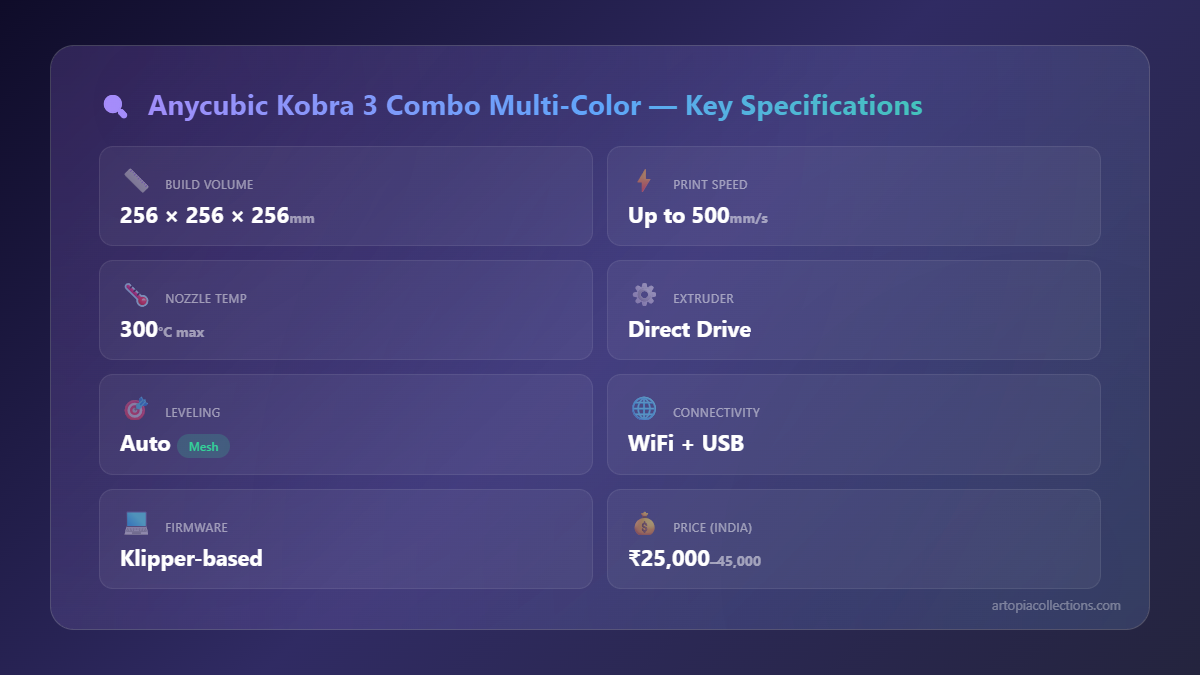
Print speed is decent. It's not a Klipper-powered speed demon, but for a Cartesian printer in its price bracket, it's respectable. I'm usually printing at around 80-100mm/s for quality PLA prints, and it handles that without much fuss. The direct drive extruder is a welcome addition, giving me better control over retractions and making flexible filaments a possibility (though I haven't tried them with the ACS yet – too many variables!). The build volume (250x250x260mm) is also a good size for most of the stuff I print, from intricate models to larger functional parts I offer on ArtoPia Collections.
And noise? It's not whisper-quiet, but it's not offensively loud either. The cooling fans are probably the loudest components, but it's something I can easily work alongside in my workshop without feeling like I'm next to a jet engine. Compared to some of my older, bargain-bin printers, it's a marked improvement.
Slicing and Software: Getting Those Colors Right
Anycubic provides their own Slicer, which is basically a re-skinned PrusaSlicer. It's functional, gets the job done, and has all the necessary profiles for the Kobra 3 Combo, including the multi-color settings. Honestly, I'm a PrusaSlicer guy through and through, so I just use that with the Anycubic profiles. Setting up multi-color in PrusaSlicer is intuitive – you add your different parts or paint areas, assign filaments, and the slicer takes care of the G-code for the color changes and purges. You can adjust purge volumes, which is crucial for reducing waste (though there's a limit to how much you can reduce it before colors start bleeding). That's a learning curve, for sure. Getting those purge tower settings just right for different filament combinations took a fair bit of trial and error for me, leading to a few failed multi-color prints before I dialed it in.
The Big Question: Budget AMS Alternative?
Okay, here's the absolute truth. Is the Anycubic Kobra 3 Combo a direct, head-to-head competitor to the Bambu Lab AMS? No. Absolutely not. The AMS is a masterpiece of engineering – faster, more reliable, less waste, and just a more polished user experience. But here's the kicker: it's also *significantly* more expensive. A Bambu Lab P1S Combo with AMS is easily going to set you back upwards of ₹1,00,000, probably closer to ₹1,20,000 here in India, depending on imports and availability. The Anycubic Kobra 3 Combo, on the other hand, is hovering around the ₹45,000-₹55,000 mark. That's a huge difference, almost half the price!
So, calling it an "AMS alternative" is a bit misleading. I personally think it's more accurate to call it a "budget-friendly multi-color system." It allows you to *get into* multi-color printing without the massive initial investment. For someone like me, running a small business where every rupee counts, that's a game-changer. It opens up new possibilities for products I can offer without taking a massive financial leap of faith.
My Verdict: Who is This For?
The Anycubic Kobra 3 Combo isn't for everyone. If you're a high-volume production facility churning out multi-color parts all day, every day, then you probably need to bite the bullet and invest in a Bambu Lab or even a Prusa MMU3. The speed and efficiency gains will quickly outweigh the initial cost.
However, if you're a:
- Hobbyist on a budget: You want to experiment with multi-color, you understand there will be waste, and you're willing to learn the ropes. This is perfect for you.
- Small business like ArtoPia Collections, just dipping your toes into multi-color: You need to offer some multi-color options to your clients but can't justify the huge investment yet. You're okay with longer print times and managing filament waste for specific, higher-value projects.
- Educator or STEM lab: You want to demonstrate multi-color printing concepts without breaking the bank on equipment.
For me, the Kobra 3 Combo has found its niche. I use it for smaller, multi-color decorative pieces, custom keychains, or logos where the visual impact of multiple colors is paramount, and the occasional waste isn't going to sink my profit margins. It's not my primary workhorse for *all* multi-color, but it's a fantastic entry point that lets me offer more diverse products to my customers. I'm still saving up for that eventual Bambu Lab X1C, don't get me wrong, but for now, this Anycubic is pulling its weight and expanding my capabilities.
It's not perfect, no printer ever truly is, but it's a strong contender for its price. You get a solid single-color printer that *also* has multi-color capabilities, even if they come with some caveats. So, if you've been dreaming of multi-color prints but your wallet's been holding you back, definitely give the Anycubic Kobra 3 Combo a serious look. It might just be the stepping stone you've been waiting for.
What are your thoughts? Have any of you picked up the Kobra 3 Combo? I'd love to hear about your experiences in the comments below! And hey, if you're looking for some cool multi-color (or even single-color!) prints, don't forget to check out what we're cooking up over at ArtoPia Collections. We've got some unique stuff!