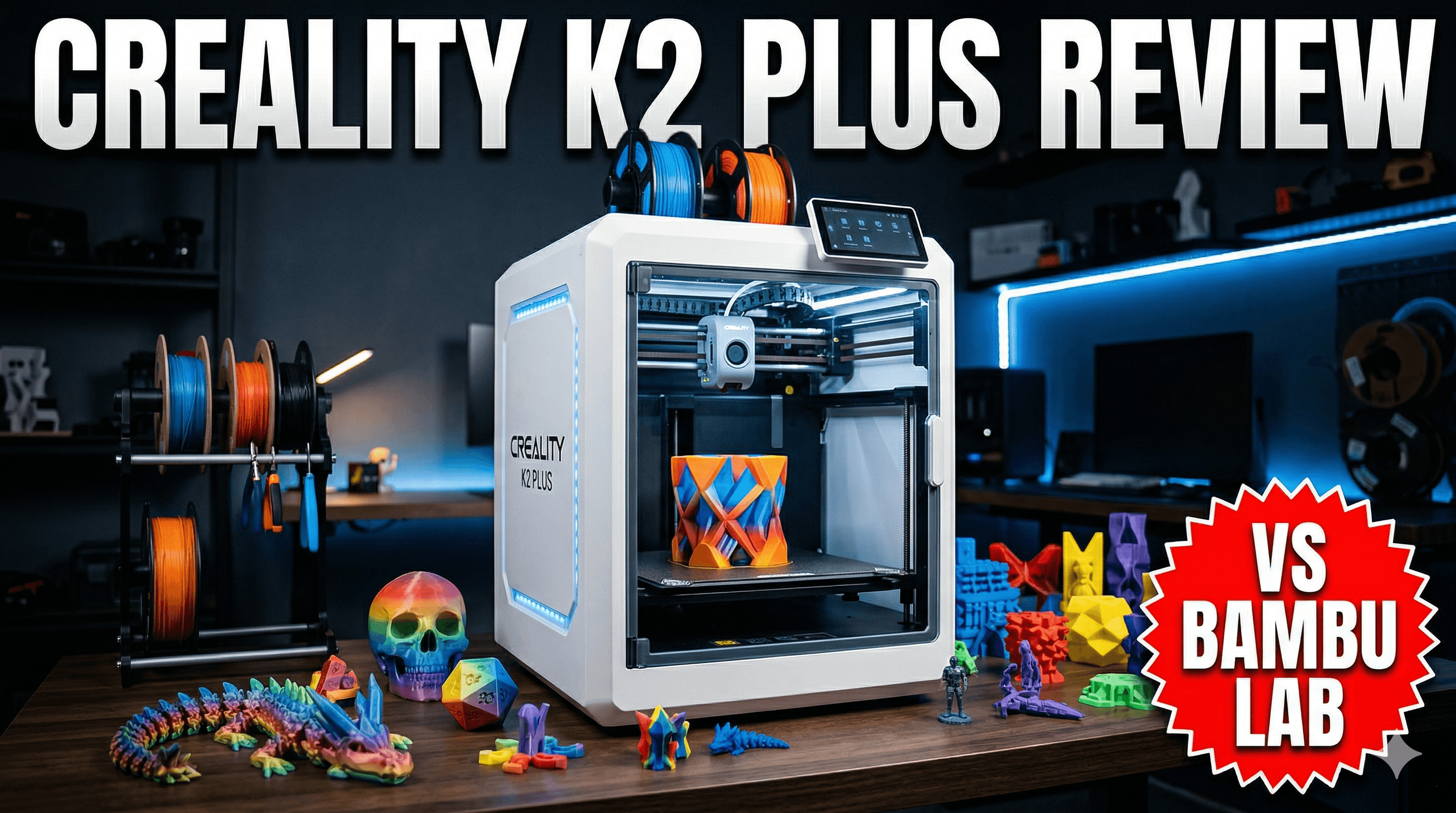
Creality Ender 3 V3 SE Review: Still the Best Entry-Level Printer?
The Creality Ender 3 V3 SE enters the market promising an excellent experience for beginners. This review dives deep into its features and performance to determine if it truly remains the best entry-level 3D printer available today.
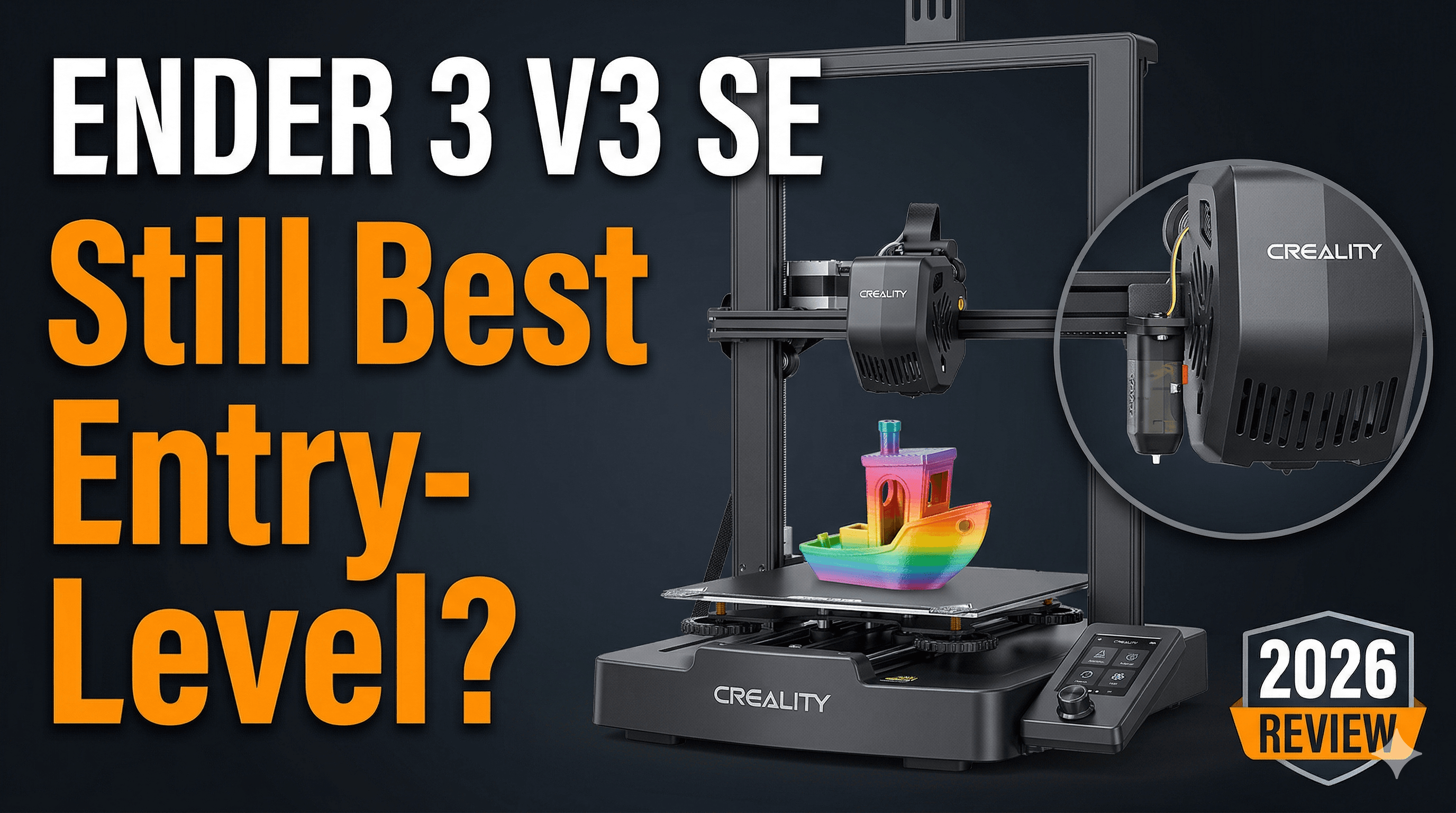
Creality Ender 3 V3 SE Review: Still the Best Entry-Level Printer for Us Desis?
You know that feeling, right? That little jolt of excitement when you unbox a new piece of tech, especially something that promises to unlock a whole new world of creation? Yeah, I still get it. And honestly, for me, it hits differently with 3D printers. The Ender 3 series has always held a special place in my heart â and my workshop, for that matter. It was the printer that kicked off Artopia Collections, my little dream of bringing custom 3D printed magic to homes across India. So, when Creality dropped the Ender 3 V3 SE, you bet I was curious. Like, really curious. Everyone's buzzing about it, and the big question swirling around our WhatsApp groups and Discord channels is: has Creality managed to bottle that lightning again? Is this still the go-to recommendation for someone just starting their 3D printing journey here in India?
First Impressions: Out of the Box, Straight to My Heart (Mostly)
Look, I've assembled more Ender 3s than I care to count â the original, the Pro, the V2, the Neo. Each one was a rite of passage, a journey of tinkering and tweaking. So, the moment I saw the V3 SE box, I was bracing myself. But honestly, this thing is a breeze. Creality has really streamlined the setup process. It's basically three main components you click together, tighten a few screws, and boom â you're almost ready. I mean, it took me maybe 15-20 minutes, which for an FDM printer of this caliber, especially one from the Ender family, is phenomenal. For someone new to the hobby, who might be intimidated by the build process, this is a massive win. You spend less time fumbling with wrenches and more time actually printing, and that's the whole point, isn't it?
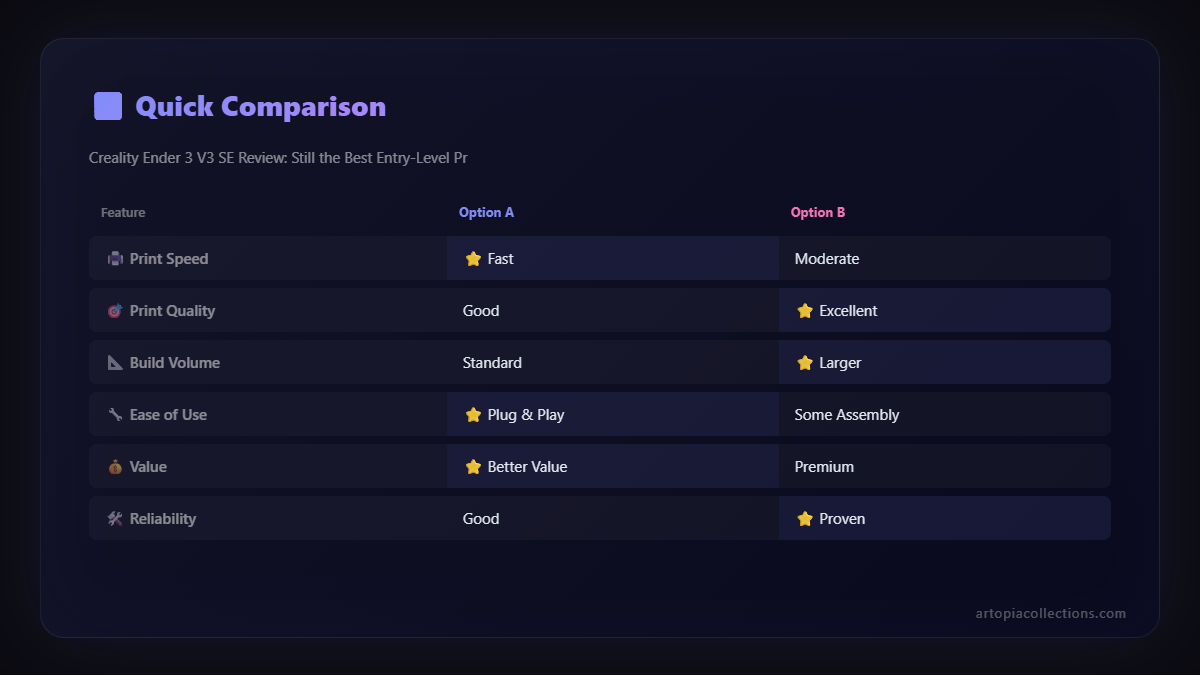
The aesthetic improvements are also noticeable. It's got a sleeker, more modern look compared to its predecessors. Gone are some of the exposed wires and clunky bits. It feels more refined, like Creality actually listened to years of feedback from the community. And that's a good thing, because while we love the Ender for its utility, a little bit of good design never hurt anyone, right?
The Good Stuff: What Makes the V3 SE Shine?
Alright, let's get into the nitty-gritty, the features that make this printer stand out in a crowded market, especially for its price point here in India.
1. CR Touch Auto-Leveling: A Beginner's Best Friend
This, for me, is the absolute game-changer for new users. Manual bed leveling can be a nightmare. ItâÂÂs fiddly, frustrating, and often leads to failed prints and a whole lot of head-scratching. The CR Touch on the V3 SE makes it almost entirely effortless. You just hit a button, and the printer does its magic, probing the bed at multiple points to create a mesh. Then, it compensates for any imperfections during the print. This means fewer failed first layers, less wasted filament (which, let's be real, at â¹1000-â¹1500 a kilo for good PLA, adds up quickly!), and a much smoother entry into the hobby. For someone just dipping their toes, having consistent first layers is basically printing nirvana. It removes one of the biggest roadblocks that often discourages beginners.
2. Direct Drive "Sprite" Extruder: Hello, Flexible Filaments!
Okay, this is huge. Most entry-level printers, especially the older Enders, came with Bowden extruders. They're fine for PLA, but try printing something like TPU (flexible filament), and you'll quickly run into problems â jams, stringing, general misery. The V3 SE comes equipped with Creality's "Sprite" direct drive extruder. This means the motor is right above the hotend, pushing the filament directly down. What does that translate to? Better control, less stringing, and the ability to print a wider range of materials, including flexibles, right out of the box. Imagine printing a phone case or some soft grippy feet for your gadgets without having to upgrade your extruder first! It truly expands your creative possibilities without needing extra investment, which is super important when you're just starting out and watching your budget.
If you're looking for some high-quality filaments to try with your new Sprite extruder, whether it's PLA, PETG, or even some TPU, you can check out a wide range of options on Amazon India. Getting good filament is just as important as having a good printer!
3. Decent Speed for the Price
Now, it's not a K1 Max, let's be clear. You're not hitting 600mm/s. But the V3 SE boasts speeds up to 250mm/s with an acceleration of 2500mm/sò. In my experience, for most practical prints â especially for a beginner â this is more than adequate. You're not going to be waiting days for a moderately sized print to finish. It's a significant bump up from the typical 50-60mm/s of older models, making the printing process much more efficient. You can get more iterations done, experiment more, and simply see your designs come to life faster. And faster prints mean you can potentially fulfill more orders if you're thinking about a small business like Artopia, or just make more cool stuff for yourself!
4. Build Quality and User Experience
For a printer that often retails around the â¹19,999 mark (and sometimes you can snag it for a bit less during sales!), the overall build quality feels solid. The gantry is stable, and the components feel well-integrated. The user interface on the screen is simple, intuitive, and easy to navigate, which again, is crucial for newcomers. You don't want to be diving through complex menus just to start a print. ItâÂÂs got a clear display, and basic functions are just a few taps away. It just works, and thatâÂÂs a beautiful thing.
What Could Be Better? (Because Nothing's Perfect, Ya Know?)
Alright, so I've been gushing, but let's be realistic. No printer is perfect, especially not at this price point. Here are a couple of things that, from my perspective, could be improved, or at least something to keep in mind.
1. Standard Build Volume
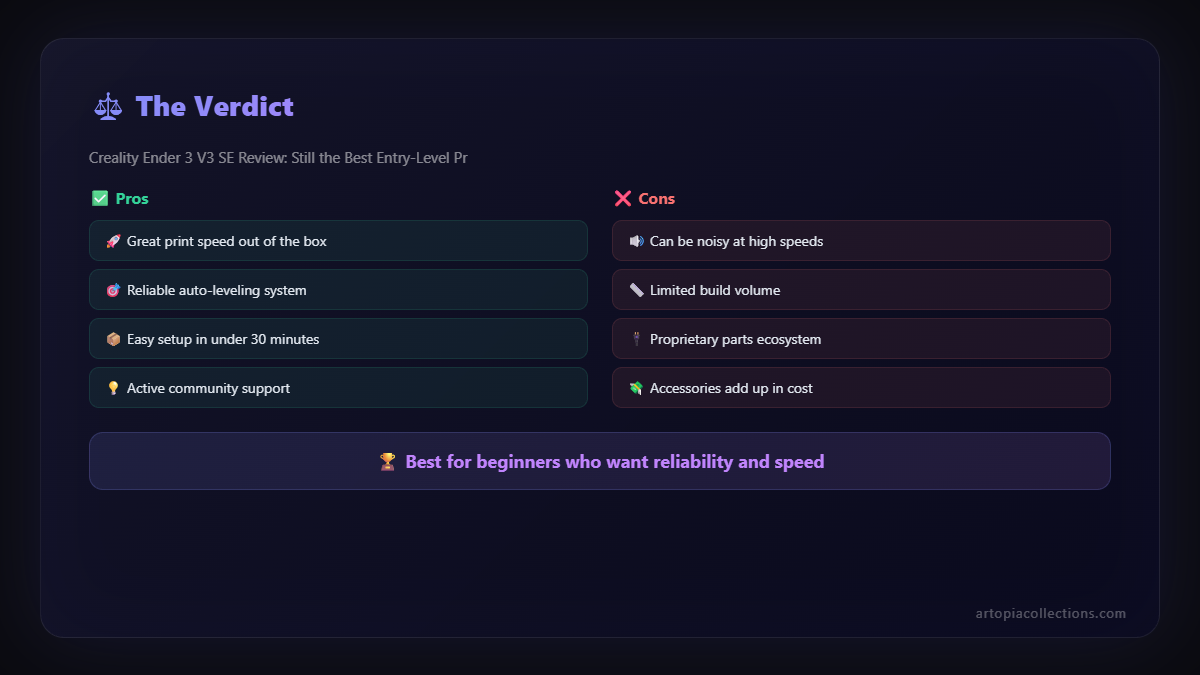
The 220x220x250mm build volume is the Ender standard, and it's perfectly fine for 90% of prints. But if you're dreaming of printing massive helmets or intricate multi-part props, you might eventually feel limited. For an entry-level printer, itâÂÂs understandable, but just something to be aware of if your ambitions are super-sized. For my custom orders at Artopia Collections, this size works for a lot of smaller items and prototypes, but for bigger projects, I obviously lean on my larger machines.
2. No Klipper Out of the Box
The V3 SE runs on standard Marlin firmware. While perfectly functional, it doesn't offer the advanced speed and control capabilities of Klipper firmware, which is becoming increasingly popular in the 3D printing world. Now, for a beginner, this isn't a deal-breaker at all. Marlin is stable and robust. But for someone looking to push the boundaries of speed and precision down the line, an upgrade to Klipper would involve some DIY effort (and an external board like a Raspberry Pi), whereas some other printers in this segment (or slightly above) are starting to offer Klipper pre-installed. It's not a con, per se, but an observation for those who might eventually want to tinker.
3. The Fan Noise (Minor Quibble)
While the overall operation is relatively quiet, especially compared to some older models, the cooling fans can still get a bit noisy when they really kick in. It's not a deal-breaker, but if you're planning to have it in a bedroom or a very quiet workspace, it's something to consider. For a workshop like mine, it just blends into the background noise, but for a home setup, some users might eventually consider fan upgrades.
Who is the Ender 3 V3 SE For?
Honestly, the V3 SE is pitched as an entry-level printer, and it absolutely delivers on that promise. It's for:
- The absolute beginner: Someone who wants to get into 3D printing without a steep learning curve. The auto-leveling and easy assembly are perfect.
- Hobbyists on a budget: It offers incredible features for its price, allowing you to experiment with different filaments and projects.
- Students and educators: A great machine for learning the ropes of additive manufacturing without breaking the bank for a school or personal project.
- Small businesses (like mine!): For prototyping, small batch production of intricate parts, or just having a reliable workhorse, it's fantastic value.
ItâÂÂs an ideal gateway drug to the amazing world of 3D printing. You get features that were once only found on much more expensive machines, packed into an affordable, easy-to-use package. And that's pretty compelling in the Indian market, where every rupee counts, and accessibility is key.
The Verdict: Still the Best Entry-Level Printer?
So, the million-dollar question: is the Creality Ender 3 V3 SE still the best entry-level printer out there? Well, "best" is a strong word, and the market is constantly evolving. But here's the deal: for its price point â especially considering you can often find it for around â¹19,999 (I've seen it drop to â¹18,500 during festive sales, so keep an eye out!) â it offers an unparalleled combination of features, ease of use, and reliability.
The direct drive extruder, CR Touch auto-leveling, and decent print speeds out of the box make it incredibly user-friendly and versatile. For someone in India looking to buy their first 3D printer, or even upgrade from a super old basic model, the V3 SE is an incredibly strong contender. It takes away so much of the frustration that used to plague beginners and lets you jump straight into the fun part: creating.
It might not have all the bells and whistles of printers twice its price, but it nails the fundamentals, and it does so with style and efficiency. So, while other great options exist (like the Anycubic Kobra 2 Neo or even some of the Elegoo Neptunes), the Ender 3 V3 SE holds its own and then some. It continues the Ender legacy of democratizing 3D printing, making it accessible and enjoyable for everyone. And for that, Creality, hats off to you!
If you're ready to jump into the world of 3D printing with a fantastic starter machine, I highly recommend checking out the Creality Ender 3 V3 SE on Amazon India. Trust me, your creative side will thank you.
Happy printing, everyone! And remember, if you ever need some custom 3D printed goodies, you know where to find me at Artopia Collections. Cheers!