Creality K2 Plus Review: Does Creality Finally Beat Bambu Lab?
Creality's new K2 Plus is here, aiming to challenge Bambu Lab's reign. Read our full review to see if this 3D printer finally beats the competition.
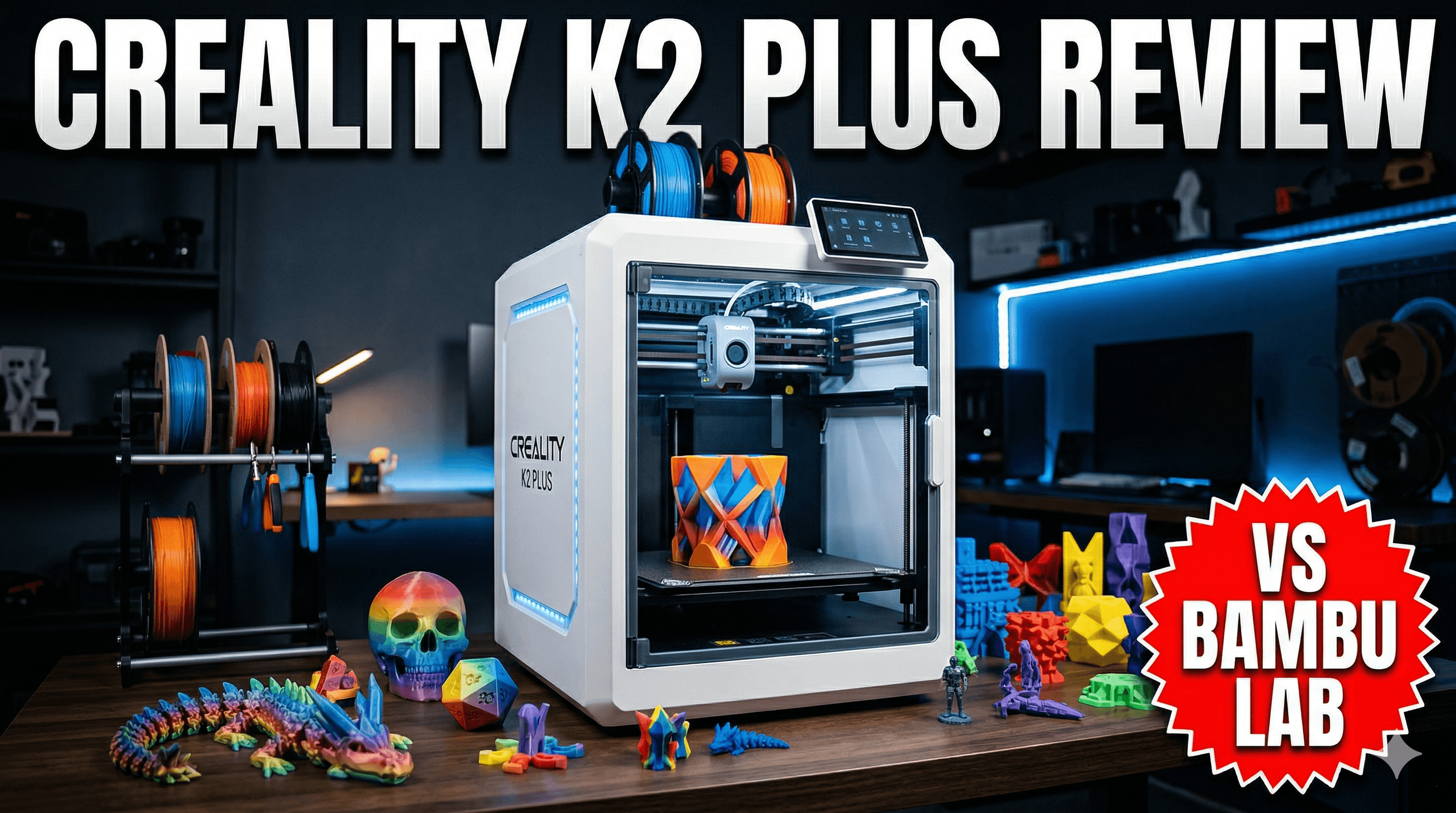
Creality K2 Plus Review: Does Creality Finally Beat Bambu Lab?
Okay, let's be honest right out of the gate, shall we? For the past year and a half, maybe even two, Bambu Lab has been the undisputed king of the hill in consumer 3D printing, especially for small businesses like mine here in India. Their P1S and X1C just... changed the game. Speed, reliability, multi-material capabilities â they basically set a new benchmark that no one, not even the old giants like Creality, seemed capable of reaching. My shop, Artopia Collections, has been running on a fleet of Bambu machines because, frankly, they just make money. But then, whispers started. Rumours turned into leaks, and finally, Creality announced the K2 Plus, their answer to the Bambu challenge. The question that's been burning a hole in every 3D printing enthusiast's mind, mine included, is this: has Creality finally done it? Have they built a machine that can truly go head-to-head with Bambu Lab, or even beat them?
My Journey: From Ender to Entrepreneur
Look, I've been in this game for a while. My first printer was an Ender 3 Pro â a trusty workhorse, a bit fiddly, but it taught me everything about the core of 3D printing. From there, I graduated to a CR-10S Pro, then a couple of Prusa i3 MK3S+ (which, bless their hearts, are still fantastic, just not *fast*). When Artopia Collections started taking off, the need for speed and consistency became paramount. Printing intricate custom models and art pieces for clients, I couldn't afford a print failing halfway through or taking three days to finish. That's when Bambu Lab exploded onto the scene, and it felt like a revolution. Suddenly, I could print parts in a quarter of the time, with incredible surface finish, and the AMS (Automatic Material System) meant I could offer multi-colour prints without losing my mind. It was a game-changer for my business model here in India, where every rupee saved in print time translates directly into better margins or more competitive pricing. So, yeah, I'm a bit biased towards what works for a business, but I'm also fiercely loyal to innovation, no matter who brings it.
So, when the K2 Plus was announced, I was sceptical, but also incredibly hopeful. Creality has the manufacturing might, the distribution network, and a loyal fanbase built over years. If anyone could challenge Bambu, it's them. I pre-ordered one the moment I could, figuring it was worth the investment to see if the hype was real. And let me tell you, the anticipation for this printer was something else. It felt like waiting for a new flagship smartphone release!
Unboxing the Beast: First Impressions
My K2 Plus arrived a couple of weeks ago, right on schedule, after navigating the joys of Indian customs â always an adventure, that. The packaging, I have to say, was impressive. It's a big box, certainly heftier than my Bambu X1C's box, hinting at the larger build volume. Everything was meticulously packed, with ample foam and clear instructions on how to get it set up. It almost felt like Creality went through Bambu's unboxing experience checklist and said, "We can do that too, but bigger."
The machine itself, once out of the box, is a handsome brute. The all-metal frame feels incredibly robust, a tank compared to some of Creality's earlier, flimsier designs. The doors close satisfyingly, and the overall aesthetic is sleek and modern, fitting right into my workshop. The build volume, a massive 350x350x350mm, is immediately noticeable. That's a serious upgrade from the 256x256x256mm on the Bambu machines. For some of the larger statues and functional prototypes I print for clients, that extra space is a godsend. No more chopping models into multiple pieces and gluing them together â a massive time saver!
Setup was, honestly, a breeze. It's mostly pre-assembled, just a few screws, connecting some wires, and you're good to go. Creality has definitely taken notes on user experience here. The initial calibration sequence was straightforward, guided by the large touchscreen. So far, so good, Creality. You've got my attention.
The Nitty-Gritty: Features and Performance That Matter
Speed: Is it a True Speed Demon?
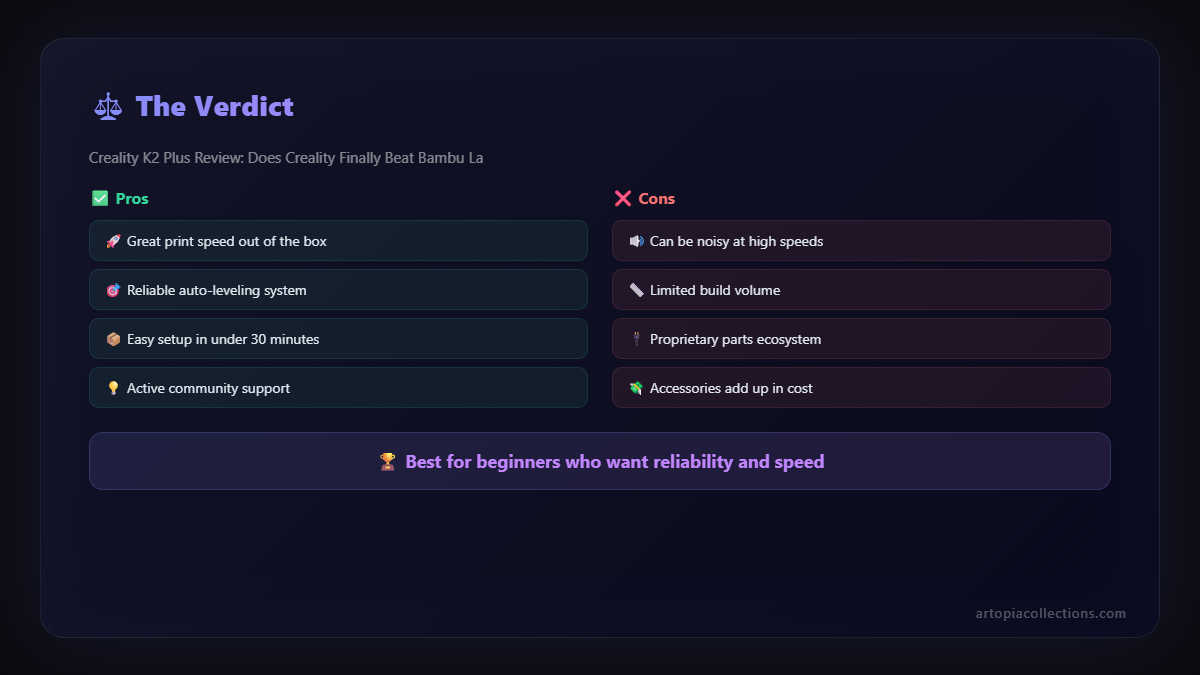
This is where the rubber meets the road, isn't it? The K2 Plus boasts speeds up to 600mm/s and acceleration up to 30000mm/sò, numbers that directly challenge Bambu Lab's claims. And you know what? In practice, it delivers. I threw a few benchmark prints at it â a Benchy, of course, but also some more complex geometric shapes and functional parts that I regularly print for orders. The speed is genuinely impressive. It chews through PLA, PETG, and even some faster-printing ABS with astonishing pace. The print quality at these speeds? Surprisingly good. I was expecting more ringing or ghosting, especially coming from Creality's past offerings, but the K2 Plus handles it with aplomb. The CoreXY kinematics are clearly well-tuned, and the machine feels incredibly stable even when it's shaking the entire workbench with its rapid movements (okay, maybe a slight exaggeration, but it's fast!).
For my business, speed is money. If I can print a customer's requested custom gadget in 4 hours instead of 8, that's either two orders I can fulfil in a day, or I can charge a premium for faster delivery. This K2 Plus, with its speed, definitely holds its own against my P1S and even my X1C in many scenarios. It's truly a high-speed machine.
Multi-Material Magic: The CFS System
One of the biggest reasons Bambu Lab dominated was their AMS. Multi-colour and multi-material printing without manual intervention? Revolutionary. Creality's answer is the "Colourful Filament System" or CFS. It's their version of an automatic material changer, and I got the 4-slot unit with my K2 Plus. The concept is similar: spools go into a box, and the printer automatically loads and unloads filaments as needed. Setting it up was pretty painless, and loading filament was intuitive.
I've tested it with a mix of local Indian filament brands â e-SUN PLA+, some Protoprinter PETG, and even some budget-friendly 3DMart PLA. It handles them quite well. The automatic switching is reliable, and the waste tower, though still a thing (just like on Bambu), seems appropriately sized. ItâÂÂs certainly not perfect, and I did have one or two jams with a particularly brittle spool of cheap local PLA (my bad, probably shouldn't have even tried it!), but overall, it's a solid performer. The CFS unit itself costs around â¹45,000-â¹50,000 if bought separately, which puts it in a similar ballpark to the Bambu AMS. Does it beat the AMS? Not quite, in terms of sheer polish and seamless integration with the software, but it's incredibly close, and for a first-gen product from Creality, it's impressive.
Enclosed Chamber & High-Temp: Engineering Dreams
The fully enclosed chamber, coupled with the ability to heat the chamber to 60ðC, is a huge win for printing engineering filaments. I frequently print parts in ABS, ASA, and occasionally polycarbonate for clients who need high-strength, high-temperature resistance. With my older open-frame printers, managing warpage and layer adhesion with these materials was a nightmare in my non-temperature-controlled workshop. The K2 Plus handles them beautifully. I've printed some fantastic ASA parts with almost no warping, and the layer bonding is excellent. This opens up so many possibilities for functional prototypes and end-use parts, expanding what Artopia Collections can offer. ItâÂÂs a definite advantage over even some of the more affordable enclosed printers out there that don't offer active chamber heating.
Auto-Levelling, Klipper, and Beyond
The auto-bed levelling and input shaper calibration are automatic and seem very robust. You just hit print, and the machine takes care of the rest, ensuring a perfect first layer every time. This is critical for reliable batch production in my business. The K2 Plus runs on Klipper firmware out of the box, which is fantastic for those who like to tinker and optimize. The interface is clean, responsive, and easy to navigate on the big touchscreen. For anyone coming from custom Klipper builds, this is a dream. For new users, it's streamlined enough that you don't even realize you're using Klipper, which is the best of both worlds, isn't it?
The hotend is a high-flow, all-metal design, capable of reaching 300ðC, and the extruder is a direct drive system â all standard fare for high-speed printers now, but Creality has implemented it well. It handles abrasive filaments like carbon fibre filled PLA or PETG without breaking a sweat, which is great for durable parts. I've already ordered some e-SUN Carbon Fibre PETG from Amazon India to really put it through its paces.
Where Does It Fall Short? The Reality Check
No printer is perfect, and the K2 Plus, while incredibly impressive, isn't without its quirks. Let's talk about the areas where Bambu Lab still has an edge, or where Creality needs to improve.
Software & Slicer: The Ecosystem Gap
Creality Print, their proprietary slicer, has come a long way. It's functional, gets the job done, and has most of the features you'd expect. However, it still lacks the polished feel, the intuitive workflow, and the sheer number of advanced features that Bambu Studio offers. Bambu Studio, being a fork of PrusaSlicer, has benefited from years of community development and iterative improvements. It's just... smarter. Better supports, more intelligent bridging, faster slicing, and a more robust integration with the printer's cloud services. Creality Cloud is decent, but again, the Bambu Handy app and their cloud infrastructure feel more mature and seamless. This isn't a deal-breaker, mind you, and Creality Print is definitely improving with every update. But for someone accustomed to Bambu Studio, it's a noticeable step down in user experience.
Noise Levels: A Minor Quibble
For a high-speed CoreXY printer, the K2 Plus isn't whisper quiet. It's definitely quieter than many older-gen printers, but it's not as hushed as, say, a P1S in Silent mode. The cooling fans, especially during high-speed printing, can get quite audible. It's not loud enough to be annoying in a workshop environment, but I wouldn't want it next to my desk in a quiet home office. Something to consider if you're sensitive to noise, or, you know, have a sleeping baby nearby.
Reliability and Long-Term Support
This is the big unknown, isn't it? Bambu Lab, despite some initial wobbles, has built a reputation for solid reliability and decent customer support. Creality, historically, has been a bit hit-or-miss with their customer support, especially for users outside of China. While the K2 Plus feels incredibly well-built, the true test will be its long-term reliability and how quickly Creality can provide spare parts and technical assistance here in India if something goes wrong. This is a premium machine, and premium support is expected. Only time will tell if Creality can truly deliver on this front consistently.
The Price Tag: Value Proposition
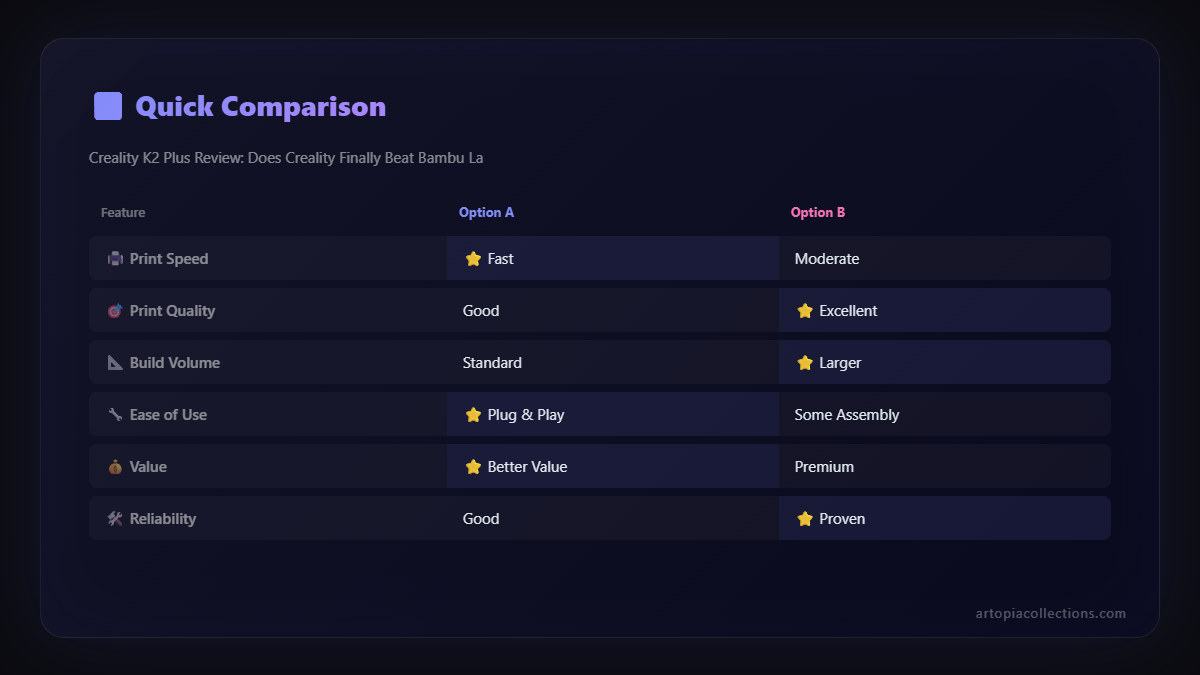
Here's the deal: The Creality K2 Plus, with the CFS unit, is expected to retail in India for somewhere around â¹1,40,000 to â¹1,60,000. That's a significant investment, putting it squarely in competition with the Bambu Lab X1C Combo, which typically retails for around â¹1,30,000 to â¹1,50,000. The P1S Combo is even more affordable, usually under â¹1,00,000. So, the K2 Plus isn't a "budget alternative." It's a premium offering that's priced competitively with Bambu's flagship. The larger build volume is its main trump card here, along with the open Klipper architecture for tinkerers. For my business, that extra build volume could justify the slight price difference, but for many, it'll be a tough choice.
So, Does Creality Finally Beat Bambu Lab?
The million-rupee question! And my honest answer is... not entirely, but they've come incredibly, impressively close. It's not a clear knockout, but it's a bloody good fight, and Creality has definitely earned its place in the ring.
Where the K2 Plus Wins:
- Build Volume: The 350x350x350mm is a game-changer for larger prints.
- Open Source Klipper: For those who love to customize and tweak, this is a massive advantage.
- Chamber Heating: Excellent for engineering filaments like ABS, ASA, and PC.
- Robust Build: Feels like a tank, built to last.
- Price/Performance (for larger prints): If you *need* that bigger build plate, the K2 Plus offers incredible value.
Where Bambu Lab Still Has the Edge:
- Software Ecosystem: Bambu Studio and Bambu Handy are still more polished and intuitive.
- Overall Polish & User Experience: From unboxing to daily operation, Bambu's ecosystem feels slightly more refined.
- Brand Trust/Support (currently): Bambu has built a strong reputation for reliability and support in a short time. Creality needs to prove itself at this premium tier.
For me, running Artopia Collections, the K2 Plus is a phenomenal addition to my fleet. It doesn't replace my Bambu machines, but it complements them perfectly. For those big, intricate custom pieces that demand a larger print bed and high-temperature filaments, the K2 Plus is now my go-to. For pure volume printing of smaller items, my P1S still reigns supreme with its incredible print-farm capabilities. The K2 Plus is for the enthusiast who wants a big, fast, reliable Klipper machine right out of the box, and for small businesses that desperately need that larger build volume without sacrificing speed or quality.
This is a fantastic printer, genuinely. Creality has listened, learned, and delivered. The competition is heating up, and that's ultimately a win for all of us in the 3D printing community. I'm excited to see how this evolves! If you're looking to dive into high-speed printing, or need some reliable filaments, check out my recommended filament selection on Amazon India. Keep printing, my friends!


