Bambu Lab A1 vs Creality Ender 3 V3: Which Budget Printer Wins?
The Bambu Lab A1 and Creality Ender 3 V3 are top contenders in the budget 3D printer market. This post dives deep into their features, performance, and value to crown the ultimate winner.
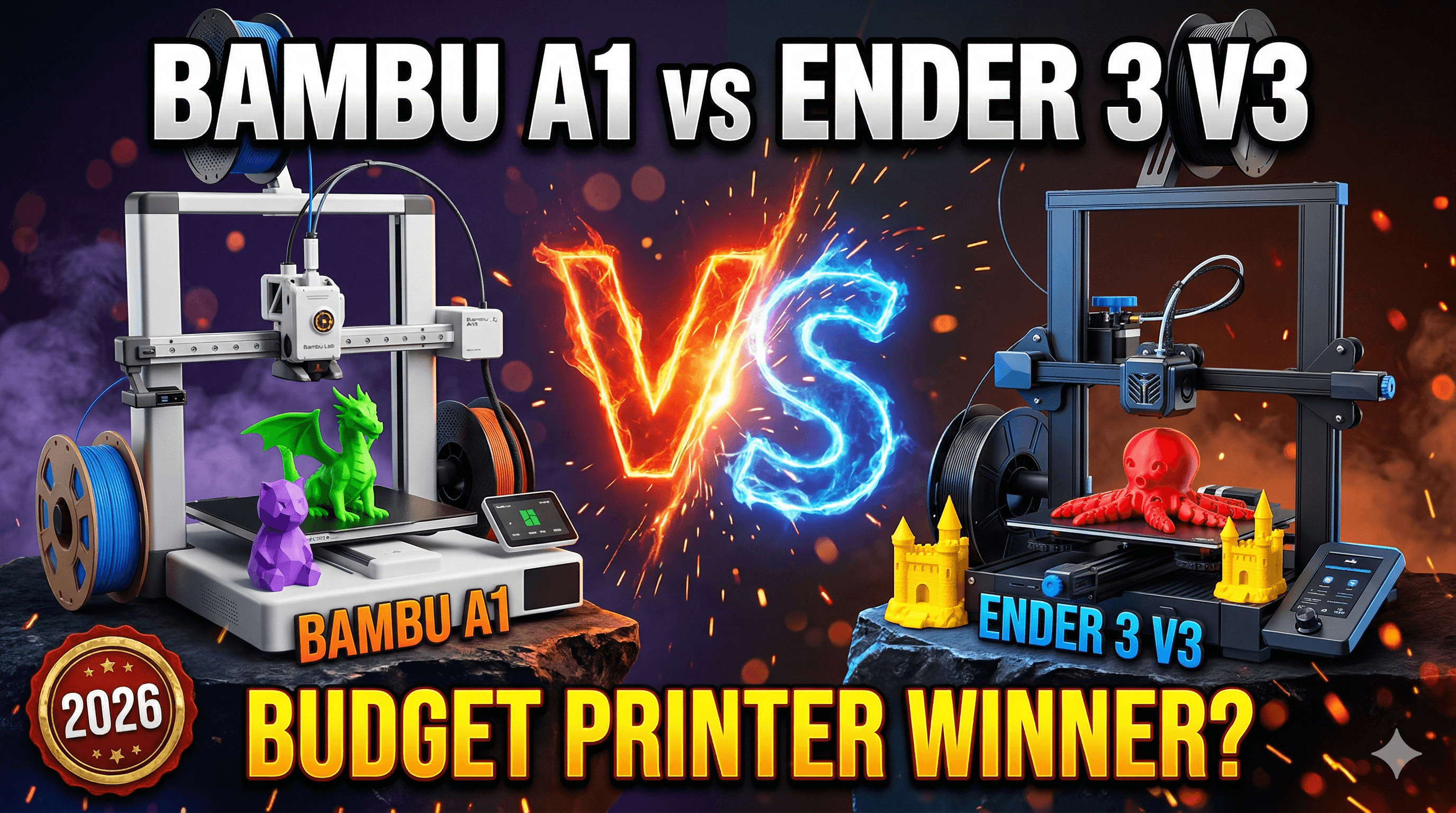
Alright folks, gather 'round! You know, running a small 3D printing business here in India, I get asked a ton of questions. But lately, one comparison has been popping up more than any other, especially from those of you looking to jump into the hobby or even start your own little side hustle without breaking the bank. Weâre talking about the heavyweight, budget-friendly showdown: the Bambu Lab A1 versus the Creality Ender 3 V3 (specifically the KE variant, let's be honest, that's the one we're really talking about here). Now, I've spent some serious quality time with both these machines â not just fiddling around, but actually pushing them to their limits, running batches of prints for my Artopia Collections store, and seeing what they're *really* made of. And trust me, itâs not a simple answer. So, grab a chai, settle in, and let's dive deep into which of these budget-friendly beasts might be the true champion for you.
First off, let's talk price because, let's face it, that's usually the first filter for most of us. The Creality Ender 3 V3 KE, at the time I'm writing this (and prices fluctuate, you know how it is in India!), you can generally snag it for around â¹25,000 to â¹30,000. That's for the base model, mind you. Itâs an attractive entry point, no doubt. On the other side, the Bambu Lab A1, even the non-combo version without the AMS Lite, is going to set you back a bit more, usually in the â¹45,000 to â¹50,000 range. And if you want that magical multi-color AMS Lite system â which, honestly, you probably do â you're looking at â¹60,000 to â¹65,000. So right out of the gate, there's a significant price difference. For many, that's already the decision made, and I totally get it. But here's the deal: sometimes paying a little more upfront saves you a whole lot of headache and time down the line. And time, my friends, is money, especially when you're running a business like mine, selling custom prints and unique designs through my own store.
The Setup: Plug and Play vs. "A Little TLC"
This is where the Bambu Lab A1 truly shines, and itâs not just marketing hype, I promise you. When that Bambu box lands on your doorstep, itâs like Christmas morning. You unbox it, snap a few pieces together, run the calibration â which is mostly automated, bless their souls â and boom, you're printing. Weâre talking maybe 15-20 minutes from unboxing to your first successful print. And that first print? Usually flawless. For someone like me who often needs to quickly set up a new machine or teach someone, that's invaluable. I once had a big order for some intricate, multi-part models, and I needed to expand my print farm quickly. The A1 was up and running and churning out parts while I was still trying to level the bed on an older, more finicky machine (not even an Ender V3, but you get the idea). It's a true "it just works" experience.
Now, the Creality Ender 3 V3 KE? It's definitely a massive improvement over older Ender models. No more fighting with eccentric nuts and bent gantry issues right out of the box, mostly. It comes largely pre-assembled, which is fantastic. But "largely" is the keyword. You'll still need to bolt on the gantry, connect a few wires, and then do some initial calibration. The auto-leveling on the KE is decent, and it even has input shaping (thanks to Klipper being pre-installed, which is a HUGE win for Creality), but in my experience, it often needs a little more nudging, a few more test prints, and maybe some minor adjustments to get it absolutely dialed in. Itâs not difficult, not by any means, especially if you're a seasoned hobbyist, but itâs not the Bambu A1âs instant gratification. Itâs more like "assembly and a bit of enthusiastic tweaking." For a beginner, that small difference can be the deciding factor between excitement and frustration.
Speed and Print Quality: The Need for Speed, and the Demand for Detail
Oh, the speed! This is where both these printers have made incredible strides in the budget segment. Gone are the days of watching your printer crawl along at 50mm/s. Both the A1 and the V3 KE are direct-drive, Klipper-esque machines (the A1 runs its own Bambu OS, but itâs built for speed like Klipper), capable of some serious velocity. The V3 KE, with its pre-installed Klipper firmware and input shaping, can hit impressive speeds, easily pushing 300mm/s for infill and even respectable speeds for perimeters. The print quality at those speeds is surprisingly good for its price point. I've printed some architectural models and intricate jewellery boxes on the KE using eSUN PLA+ and Overtone PLA, and the results have been genuinely impressive for the money.
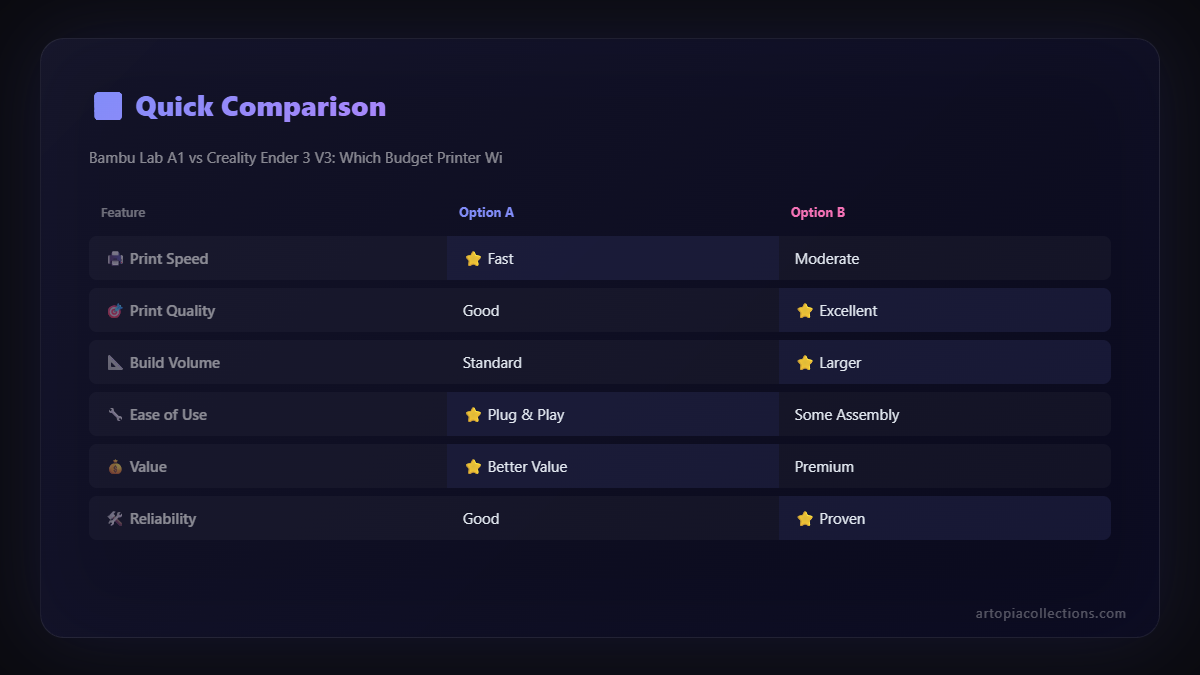
But then there's the Bambu Lab A1. And honestly, it feels like itâs operating in a different league. It's not just fast; itâs consistently fast and maintains mind-boggling quality at those speeds. It has active flow compensation and lidar for first-layer inspection, which means it's constantly monitoring and adjusting to ensure perfect prints. You can push this machine hard, I'm talking seriously hard, and the prints come out looking like they were done at half the speed on other machines. The acceleration, the precision, the sheer fluidity of its movements... itâs a joy to watch. For my business, where I'm often batch printing items like these geometric coasters or intricate decorative pieces, the A1's speed and reliability directly translate into higher output and happier customers. I've run multiple A1s (and an X1C for the more exotic stuff) side-by-side, and they just churn out parts with incredible consistency. When I need 50 units of something, I know the A1 won't let me down. That peace of mind is worth a lot.
The Elephant in the Room: AMS Lite (Multi-Color Printing)
This feature alone is why many people, myself included, would lean towards the Bambu Lab A1, especially the combo package. The AMS Lite is a game-changer. Itâs Bambu Labâs external multi-material system, allowing you to print with up to four different colors or materials on the same print. And it's not just multi-color; itâs easy multi-color. The Bambu Studio software handles all the swapping, purging, and calibration seamlessly. You load your spools, select your colors in the slicer, and hit print. Thatâs it. For creating visually striking pieces, prototypes with functional color coding, or even just adding a pop of personality to your prints, the AMS Lite is revolutionary. Think about it: a logo in multiple colors, text standing out, multi-color lithophanes â the possibilities are endless for creative projects and even business applications.
The Creality Ender 3 V3 KE, on the other hand, is a single-material printer. There are ways to do multi-color prints manually (pausing and swapping filament), but it's cumbersome, time-consuming, and prone to errors. There are also third-party multi-material solutions for Klipper-based printers, but they often require significant tinkering, additional cost, and aren't nearly as integrated or user-friendly as the AMS Lite. So, if multi-color printing is even a remote possibility for your projects â and trust me, once you try it, youâll be hooked â the A1 combo package becomes an extremely compelling option, despite the higher price tag.
User Experience, Software, and Ecosystem
Bambu Lab has built an ecosystem, not just a printer. Their Bambu Studio slicer is incredibly polished, intuitive, and feature-rich. It's designed to work hand-in-hand with their printers, offering profiles that just work, remote monitoring through the app, and seamless integration with the AMS. The whole experience feels cohesive and professional. Even firmware updates are pushed directly to the printer and are easy to install. Itâs like the Apple of 3D printing in terms of user experience, if that makes sense. Everything just feels *thought out*.
Creality, while they've come a long way, still feels a bit more fragmented. The V3 KE runs Klipper, which is fantastic for performance and customization. But Klipper itself, while powerful, can have a steeper learning curve for absolute beginners. You're often interacting with a web interface (Fluidd or Mainsail), and while it offers incredible control, it's not as "plug-and-play" as the Bambu ecosystem. You'll likely use Creality Print or a customized version of Cura or PrusaSlicer for slicing. These are all excellent tools, but the integration isn't as tight. For someone who loves to tinker, customize, and dive deep into settings, the KE offers incredible flexibility. But for someone who just wants to print and not worry about the underlying tech, it can be a bit more daunting. I personally appreciate the open-source nature of Klipper and the ability to tweak everything, but for sheer day-to-day business operations, the Bambu's streamlined workflow is a lifesaver.
Maintenance, Reliability, and Long-Term Use
Reliability is crucial for my business. Every failed print is wasted filament, wasted time, and potentially a delayed order. In my experience, the Bambu Lab A1 has been remarkably reliable. The self-diagnostics, the robust construction, and the overall design mean fewer unexpected issues. When something does go wrong, the error messages are usually clear, and there's a good community and support system (though sometimes getting parts in India can be a bit of a wait, just being honest here).
The Creality Ender 3 V3 KE is also a solid machine, especially compared to its predecessors. The all-metal hotend means you can print a wider range of filaments without worrying about PTFE tube degradation. The linear rails (on the X and Y axis) contribute to better stability and longevity. However, it's still an Ender at heart, meaning it's a bit more open, a bit more accessible for maintenance, which can be a double-edged sword. More parts are exposed, more things *can* be adjusted or replaced by the user. This is great if you enjoy tinkering, but if you just want a workhorse, the A1 feels more buttoned-up and less prone to needing your attention.
So, Which One Wins? The Verdict from My Print Farm
Honestly, neither printer "wins" outright because they cater to slightly different needs and budgets, even though they sit in a similar bracket. It really boils down to what you prioritize.
The Creality Ender 3 V3 KE is the undisputed champion for:
- Budget-conscious buyers: If â¹25,000-â¹30,000 is your absolute limit, the KE offers incredible features and performance for the price.
- Tinkerers and modders: Love to dive deep into Klipper, customize settings, and potentially add your own upgrades down the line? The KE is a fantastic open platform.
- Learning and understanding: It offers a great balance of modern features with enough "openness" to learn about the inner workings of 3D printing.
- Single-color functional prints: If you're mostly printing practical parts, tools, or prototypes in one color, the KE is more than capable.
The Bambu Lab A1 (especially the Combo with AMS Lite) is the clear winner for:
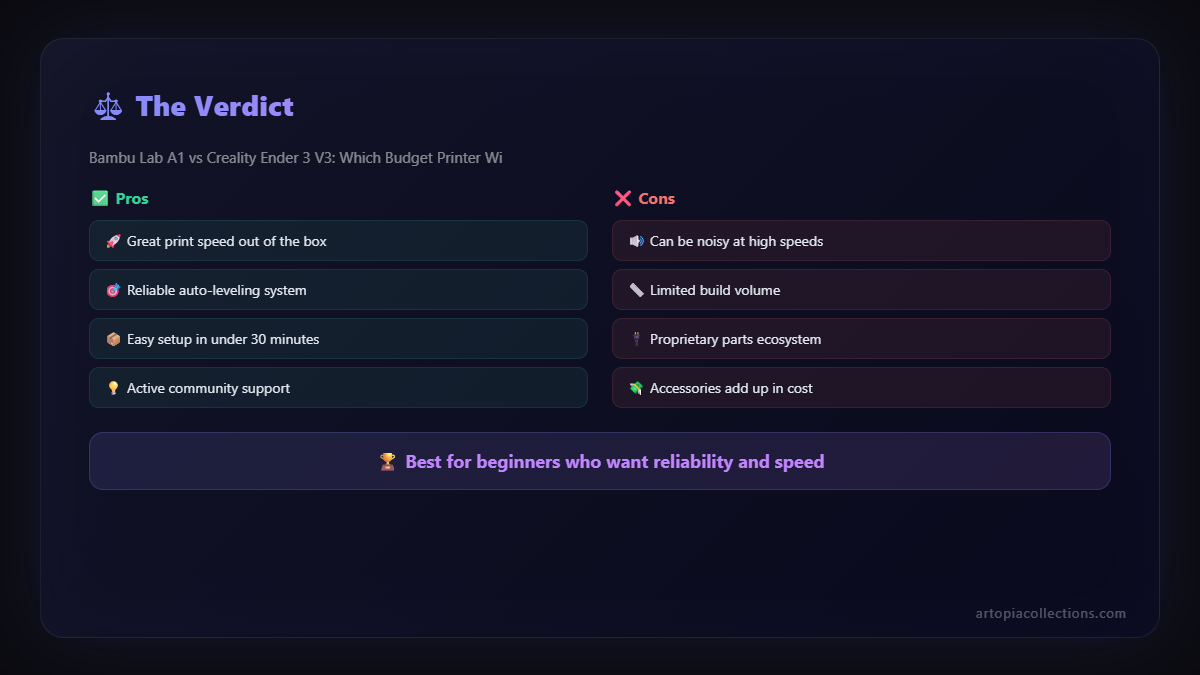
- Beginners who want hassle-free printing: If you want to unbox, print, and not worry about calibration or troubleshooting, the A1 is unparalleled.
- Businesses and professionals: The reliability, speed, consistent quality, and especially the multi-color capabilities (with AMS Lite) directly translate to increased output and new product possibilities. For my Artopia Collection, having the ability to print colorful, detailed items without fuss is a huge advantage.
- Multi-color printing enthusiasts: If you dream in Technicolor 3D prints, the AMS Lite is a non-negotiable feature. There's nothing else at this price point that offers such a seamless multi-material experience.
- Anyone who values time: The A1âs rapid setup, high print success rate, and consistent performance mean less time spent on troubleshooting and more time actually printing or doing other things.
Look, if you're just starting out and that â¹25,000 budget is firm, the Ender 3 V3 KE is an absolutely phenomenal machine. You'll get fantastic prints, learn a lot, and have a very capable printer. Itâs a huge leap for Creality. But if you can stretch your budget, even to the non-AMS A1, or especially for the A1 Combo, the quality of life improvements, the sheer ease of use, and the incredible multi-color capabilities are, in my honest opinion, worth every extra rupee. For my business, the A1 (and its bigger siblings) has truly transformed how I operate and what I can offer. It's not just a printer; itâs a production tool.
Ultimately, both are brilliant machines pushing the boundaries of what "budget" 3D printers can do. Choose wisely based on your needs, your budget, and how much you enjoy (or dislike) tinkering. Happy printing, everyone!


