Best TPU Filaments for Flexible 3D Prints: Tested and Ranked
Looking for the ideal TPU filament for your flexible 3D prints? Our comprehensive guide tests and ranks the best options on the market, helping you achieve perfect, durable results.

Unleashing the Stretch: My Top TPU Filaments for Flexible 3D Prints (Tested & Ranked!)
Ever found yourself staring at a 3D print, wishing it had a little more... give? Like, you needed a phone case that actually absorbed impact, or maybe a grippy foot for your desk gadget that wouldn't slide around like a politician on a marble floor? Yeah, Iâve been there. So many times, in fact, that it became a bit of an obsession for me, leading me down the rabbit hole of flexible filaments. And let me tell you, friends, printing with TPU â Thermoplastic Polyurethane â is a game-changer. Itâs challenging, sometimes frustrating, but oh-so-rewarding when you pull off that perfectly squishy, durable print. If you're tired of brittle parts and want to add some serious flexibility to your 3D printing arsenal, you've come to the right place. I'm Vidyut, and at Artopia Collections, we live and breathe 3D printing. Over the past few years, I've put a bunch of TPU filaments through their paces on my trusty machines, and today, I'm going to share my honest, no-holds-barred thoughts on the best ones available right here in India.
Why Even Bother with TPU? (The Short Answer: Durability & Flexibility!)
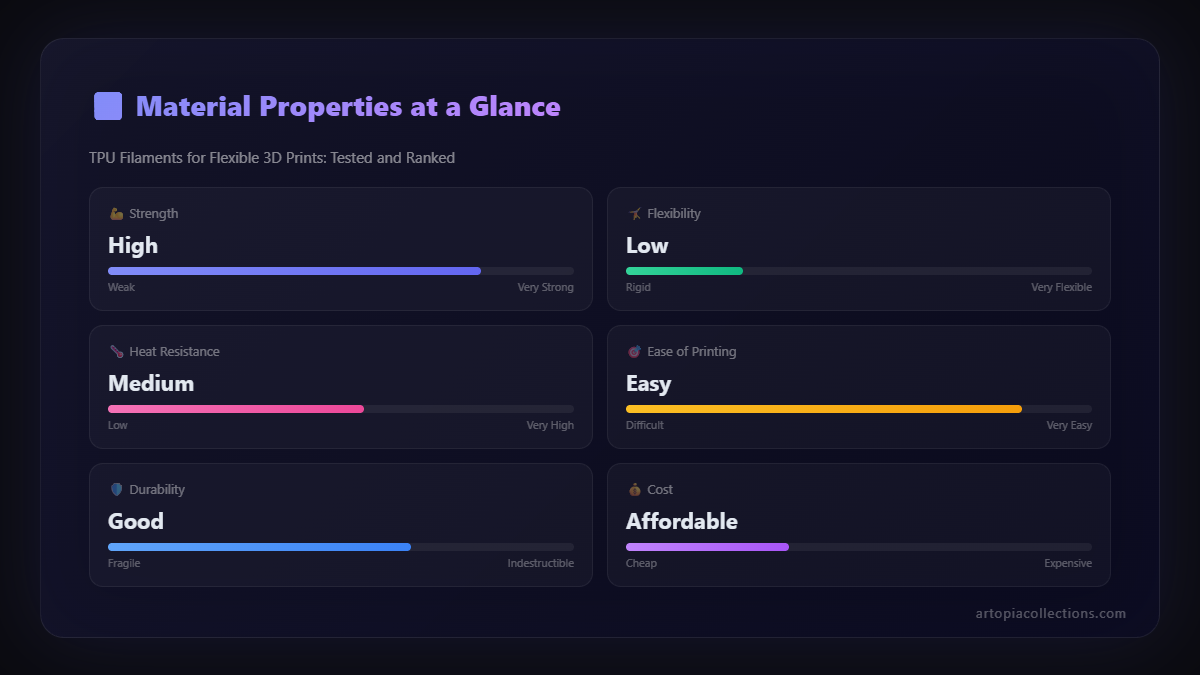
Before we dive into the nitty-gritty of filament brands, let's just quickly touch upon *why* TPU is so amazing. Basically, it's a flexible plastic that combines the properties of rubber and plastic. This means your prints aren't just bendy; they're also incredibly durable, resistant to abrasion, oils, grease, and many chemicals. Think about it: a regular PLA or PETG print would shatter if you dropped it from a height, or maybe just crack under pressure. A TPU print? It'll probably just bounce. Iâve made countless custom grommets, protective covers, drone landing gear, and even some really cool wearable prototypes with this stuff. It opens up a whole new world of possibilities, from functional parts that need to withstand abuse to comfortable, ergonomic designs. And thatâs why, despite its quirks, itâs absolutely worth mastering.
The Elephant in the Room: Printing TPU Isn't Always a Breeze
Now, I won't lie to you. Printing with TPU isn't like printing with PLA. If PLA is a polite guest who follows all the rules, TPU is that eccentric uncle who shows up late, brings his own music, and sometimes spills his drink. It's notorious for being tricky, especially on Bowden tube setups. The main culprits are stringing, under-extrusion, and clogs. That's because it's so flexible it can compress and buckle inside the extruder path, especially when it has to travel a long way through a Bowden tube before hitting the hotend. Trust me, I've had my share of hair-pulling moments, debugging failed prints and untangling filament spaghetti.
But here's the deal: with the right setup and settings, it's totally manageable. For me, the single biggest upgrade that made TPU printing a dream was switching to a direct drive extruder. I primarily use a Creality Ender 3 S1 Pro now, and its direct drive system just feeds TPU like a champ. No more long Bowden tubes for the filament to get tangled in! If you're serious about TPU, I highly recommend looking into a direct drive upgrade for your printer if you don't already have one. Itâs a worthwhile investment, truly. You'll thank me later, I promise.
My Testing Process: How I Put These Filaments Through Their Paces
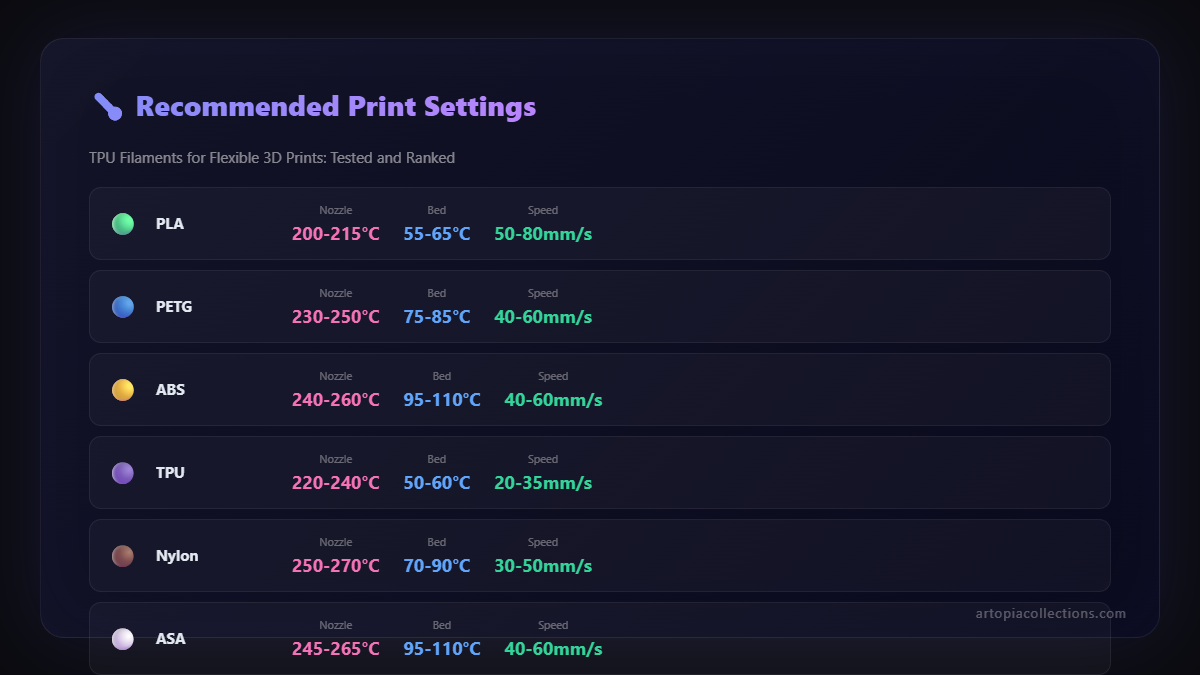
So, how did I decide which TPU filaments were the best? It wasn't just about printing a small test cube and calling it a day. I used a specific set of criteria and a few go-to test prints. First off, I always start with a temperature tower to dial in the optimal hotend temp for each filament, usually somewhere between 210°C and 230°C. Then, a retraction test to minimize stringing â this is crucial for TPU. My bed temp is usually 50-60°C, and I use a PEI sheet, which works brilliantly for adhesion. I print at really slow speeds, typically 20-30 mm/s for initial layers and 30-45 mm/s for infill and perimeters. Slow and steady wins the race with TPU, always.
For actual part testing, I print a few standard items: a flexible phone case (yes, I've made one for almost every phone model in my family!), a small, dense rubber-like grip, and a thin-walled bellows structure to really test layer adhesion and flexibility. I evaluate them on:
- Printability: How easily does it print? Stringing, jamming, layer adhesion.
- Flexibility/Shore Hardness: How squishy or stiff is it? (Most consumer TPUs are around Shore 95A, but some can be softer).
- Durability: How well does it hold up to bending, stretching, and general abuse?
- Surface Finish: Does it look good? Is it smooth or prone to imperfections?
- Price: Is it good value for money?
Right, enough preamble! Let's get to the good stuff. Here are my top picks for TPU filaments, available in India, that I've personally tested and would recommend to any fellow enthusiast.
The Best TPU Filaments for Flexible 3D Prints: Tested and Ranked
1. My Top Pick & All-Time Favorite: eSUN eTPU-95A
Why I love it: Honestly, if there's one TPU I reach for almost every single time, it's eSUN eTPU-95A. This stuff is just incredibly consistent and reliable. For a flexible filament, it prints surprisingly well, with minimal stringing once you've dialed in your retraction settings (I usually run 0.8-1mm at 30mm/s on my direct drive). The flexibility is spot on for most applications â it's squishy enough to feel rubbery but stiff enough to hold its form for functional parts. Iâve used it for drone bumpers, shoe soles, and even some intricate seals for custom enclosures. The layer adhesion is fantastic, giving you really strong, durable parts that don't delaminate easily.
Price: You can usually find a 1kg spool for anywhere between â¹2800 to â¹3500 on Amazon or other online stores. Yes, it's a bit on the pricier side compared to basic PLA, but for the quality and reliability, itâs absolutely worth it. For me, it saves so much headache in failed prints that the cost is justified. Plus, eSUN is a widely available brand, so you can often find a good selection of colours.
Pros: Excellent printability for a TPU, great layer adhesion, consistent diameter, good flexibility, wide color range.
Cons: A bit more expensive than some alternatives.
2. The Reliable Workhorse: Overture TPU
Why it's great: Overture is another brand that has really impressed me over the years, and their TPU is no exception. Itâs incredibly similar to eSUN in terms of printability and flexibility, making it a very strong contender. I'd say it's just a hair less forgiving than eSUN if your settings aren't absolutely perfect, but once you've got it dialled in, it performs beautifully. The prints come out smooth and consistent, with good layer bonding. I've used Overture TPU for producing some custom vibration dampeners for a client, and they've held up wonderfully, even under consistent stress. They offer a pretty decent range of colours too, which is always a bonus when youâre trying to match a specific aesthetic.
Price: Expect to pay around â¹2600 to â¹3200 for a 1kg spool. Itâs slightly more affordable than eSUN at times, making it a great value option without significant compromise on quality. It's generally well-packaged, and I've never had issues with tangled spools, which can be a nightmare with flexible filaments.
Pros: Good print quality, reliable performance, strong layer adhesion, often slightly cheaper than eSUN.
Cons: Might require a fraction more fine-tuning than eSUN for perfect prints.
3. The Budget-Friendly Contender: Indian Local Brands (e.g., Make3D, 3D Print Zone)
Why it's a good start: Look, sometimes you just need to get your hands on some TPU without breaking the bank, especially if you're just experimenting or doing some prototyping. This is where local Indian brands really shine. Iâve tried a few over time, like Make3D and some unbranded spools from smaller online retailers. The quality can vary *wildly*, I'll be honest. But when you get a good batch, it's surprisingly decent. Iâve found some good success with certain batches for simple, less critical parts like basic flexible feet or bumpers. You might need to dry the filament thoroughly before printing, as moisture is often a bigger issue with cheaper filaments, but with patience, it can yield good results.
Price: This is where they win. You can often snag a 1kg spool for anywhere between â¹1800 to â¹2500, sometimes even less during sales. Itâs a significant saving, and for high-volume, low-criticality projects, it makes a lot of sense.
Pros: Significantly more affordable, supports local businesses.
Cons: Inconsistent quality between batches, more prone to moisture issues, limited color selection, might require more calibration and troubleshooting.
4. Honourable Mention for Softer Prints: Fillamentum Flexfill 98A / 92A
Why it's special: Okay, so this one might be a bit harder to find consistently in India, and itâs definitely on the premium end. But if youâre looking for something with a slightly different feel, or a genuine softer Shore hardness like 92A (which is quite squishy!), Fillamentumâs Flexfill line is fantastic. I managed to get my hands on a spool of their Flexfill 92A once, and the prints felt incredibly premium â very smooth surface finish and the perfect amount of give for things like custom medical aids or super-soft wearables. Itâs more temperamental to print, even with direct drive, due to its increased flexibility, but the results are gorgeous. This is for when you really need that specific soft touch. If you ever see it available, and your budget allows, it's worth a shot for specialized projects.
Price: Expect to pay upwards of â¹4000-â¹5000+ for 750g or 1kg, making it a niche, high-end option.
Pros: Excellent print quality, genuinely softer options, premium feel.
Cons: Very expensive, harder to find in India, more challenging to print.
My Golden Rules for Printing TPU Successfully (Don't Skip These!)
I can't stress this enough: successful TPU printing is all about patience and preparation. Here are my absolute must-follow tips:
- Direct Drive is Your Best Friend: Seriously, if you're printing TPU regularly, invest in a direct drive extruder. It minimizes the filament path, greatly reducing the chances of buckling and jams. It's the single most impactful upgrade you can make.
- Slow Down, Way Down: Don't rush it. I print flexible filaments at roughly half the speed I'd use for PLA. Start with 30-40 mm/s for everything and adjust from there.
- Minimal Retraction: TPU is gooey. Too much retraction, or too fast, and you'll grind a flat spot on the filament or cause a clog. Keep retraction distance very low (0.5mm-1.5mm) and retraction speed slow (20-40 mm/s) on a direct drive. For Bowden, you might need slightly more distance but keep the speed slow. Some people even disable retraction completely for very flexible TPUs, accepting a bit of stringing.
- Temperature Control: Find the sweet spot. Too cold and layers won't adhere; too hot and you'll get excessive stringing and oozing. My range is usually 215-225°C for the nozzle and 50-60°C for the bed.
- Dry Your Filament: TPU is hydrophilic, meaning it loves to absorb moisture from the air. Wet TPU will result in bubbles, poor layer adhesion, and generally miserable prints. I always store my TPU in a dry box with desiccant and often pre-dry it in a filament dryer before a print, especially in our Indian monsoon humidity.
- Bed Adhesion: Most TPUs stick really well to PEI or glass with a thin layer of glue stick. Don't use too much Z-offset or squish the first layer too hard, or it'll be impossible to remove!
What Can You Actually Make with All This Flexible Goodness?
The possibilities are endless! Beyond the obvious phone cases and protective gear, Iâve used TPU to make:
- Custom Seals and Gaskets: Perfect for waterproofing or dust-proofing enclosures.
- Tool Grips: Make your tools more ergonomic and comfortable.
- Wearable Components: Flexible straps, padding, or even parts of costumes.
- RC Car/Drone Parts: Bumpers, landing skids, battery straps that absorb impact.
- Robot Feet: Give your small robots better traction.
- Cable Organizers: Flexible clips and ties that won't snap.
- And so much more! Seriously, just browse through our Artopia Collections product page, and you'll see some of the creative ways we use various filaments, including TPU, to make custom, functional items.
Wrapping It Up (But Not Too Tightly!)
So, there you have it. My tried, tested, and honestly reviewed picks for the best TPU filaments you can get your hands on in India. While eSUN and Overture are my go-to for consistent, high-quality results, don't shy away from experimenting with local brands or even that elusive premium spool if you have a specific need. The key, as always, is patience, understanding your printer, and being willing to tweak those settings. Flexible prints add an entirely new dimension to what you can create with your 3D printer, moving beyond rigid prototypes into truly functional, durable, and unique parts.
Don't be intimidated by the learning curve. Dive in, experiment, and prepare to be amazed by what you can achieve. And hey, if you have any favourite TPU brands or tips that I missed, drop them in the comments below! I'm always eager to learn from fellow makers. Happy printing, everyone!