BLTouch Not Working? Complete Troubleshooting Guide for Auto Bed Leveling
Your BLTouch isn't working, and your 3D prints are suffering. This guide provides a complete troubleshooting walkthrough to get your auto bed leveling sensor functioning flawlessly.
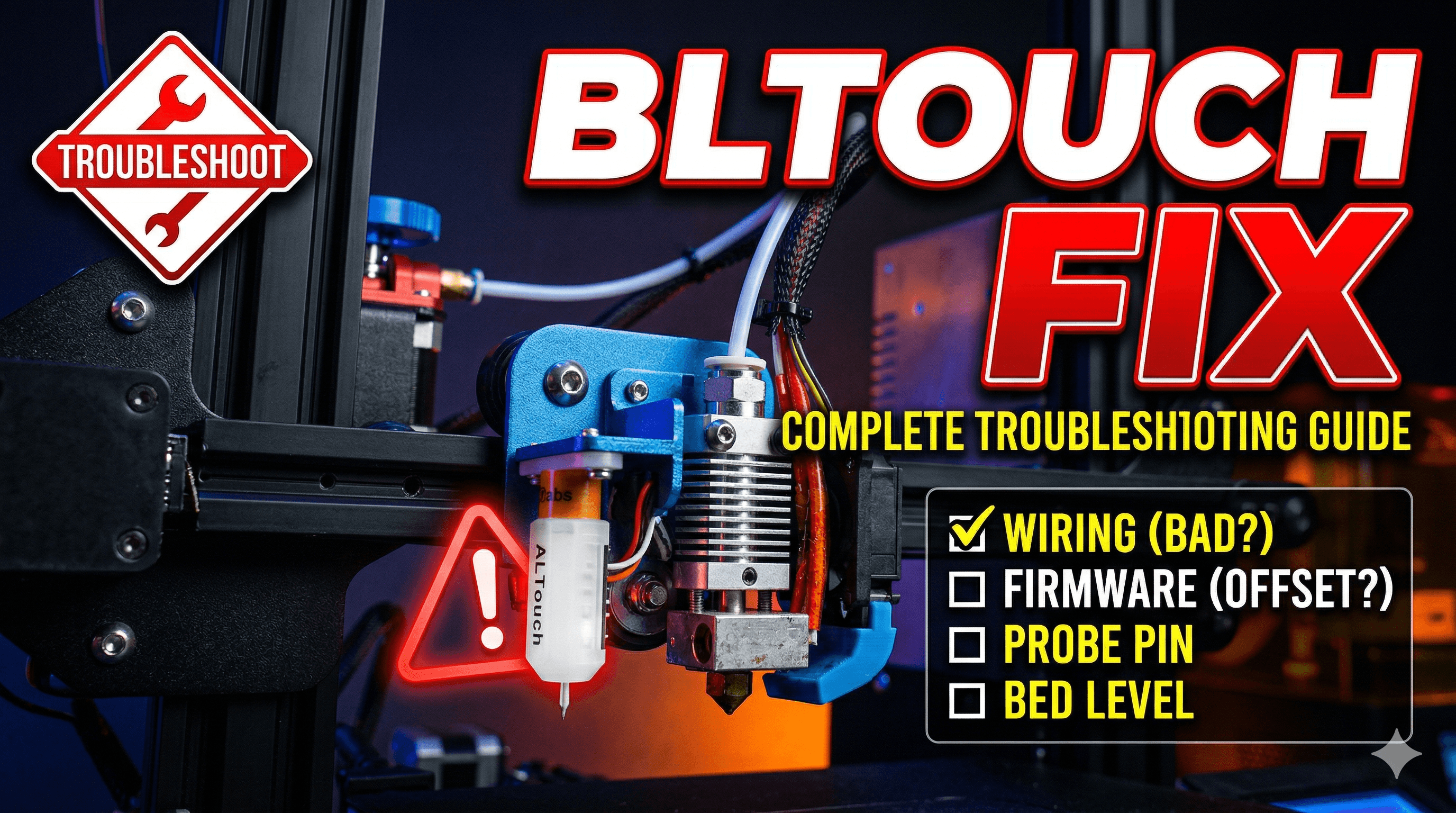
BLTouch Not Working? Your Ultimate Troubleshooting Guide to Banishing First Layer Blues!
You know that feeling? That gut-wrenching, pulling-your-hair-out frustration when your gorgeous new (or not-so-new) BLTouch just refuses to cooperate? You finally got it installed, flashed the firmware, watched all the YouTube videos in existence, and yet... your first layer is still a disaster zone. One side squished beyond recognition, the other practically printing in mid-air. Itâs enough to make you want to throw your printer out the window, isn't it? Trust me, Iâve been there. Multiple times. In my little workshop here in India, I've battled with more BLTouch issues than I care to admit, on everything from my trusty Ender 3 Pro to my modified Anycubic Kobra. But don't you worry, my friend, because today we're going to dive deep, peel back the layers (pun intended!), and fix this problem together. Let's get those perfect first layers rolling!
Why Even Bother with Auto Bed Leveling (ABL)?
Honestly, when I first started my journey into 3D printing a few years back, I thought manual bed leveling was good enough. "It's part of the process!" I'd tell myself, meticulously adjusting those four (or sometimes three) knobs. But then I discovered the magic of auto bed leveling, and specifically, the BLTouch. The thing is, even the most perfectly leveled bed can warp slightly with temperature changes, or over time, or heck, even if a strong breeze looks at it funny. ABL, and the BLTouch in particular, compensates for these tiny imperfections, ensuring your nozzle maintains a consistent distance from the print surface across the entire build plate. Itâs not just a convenience; it's a game-changer for print quality, especially for large prints that need every square millimetre of adhesion.
For my small business, Artopia Collections, where every print needs to be flawless, a properly working BLTouch is non-negotiable. It saves me so much time and wasted filament. Think about it: a roll of good quality PLA, like eSun or Overture, can set you back anywhere from â¹1800 to â¹2500 here in India. Wasting even 100 grams on failed first layers adds up quickly! So, investing time in troubleshooting this sensor is definitely worth it.
The Heartbreak: When Your BLTouch Just Won't Play Nice
So, you've got your BLTouch, maybe you picked up a genuine one for about â¹1000-â¹1500 (depending on where you buy it from and if it's on sale, like this one I found on Amazon.in) or perhaps a well-regarded clone. You wired it up, mounted it beautifully, and you're expecting smooth sailing. But then, the nightmare starts:
- It deploys, then immediately retracts, then maybe deploys again, or worse, it just hangs.
- The probe deploys but doesn't retract, crashing into your print bed.
- It probes erratically, sometimes working, sometimes not.
- The probe deploys, probes the bed, retracts, but your first layer is still terrible.
- Or the absolute worst: it doesn't do anything at all. No lights, no movement, just a dead sensor staring back at you.
Yeah, that last one is a real gut punch. But fear not! Most of these issues are solvable. We just need to systematically go through the possibilities.
Before You Panic: The Essential Basic Checks
Look, before you start tearing your hair out or buying a new BLTouch, let's start with the absolute basics. You'd be surprised how often the simplest things are overlooked.
1. The Cable Connection: It's Simpler Than You Think (But Tricky!)
This is probably the most common culprit, especially if you're using a BLTouch with a 5-pin JST connector that breaks out into two separate wires (3-pin for servo, 2-pin for Z-stop).
- Is it fully seated? Give each connector a gentle but firm push. Sometimes they look connected but aren't quite locked in.
- Are the wires in the correct order? Different mainboards (Creality 4.2.2/4.2.7 vs. SKR Mini E3 vs. original Creality 8-bit boards) have slightly different pinouts. Always double-check your mainboard's specific diagram. The 3-pin cable usually goes to the BLTouch port (or Z-stop/PROBE header), and the 2-pin cable often goes to the Z-stop endstop port. Get these mixed up, and nothing will work, or worse, you might fry something. (I once spent an entire evening debugging only to find I had swapped the brown and red wires on a custom connector â a classic rookie mistake, even for me!)
- Are any wires frayed or damaged? Give the cables a visual inspection. A tiny break in the insulation or a bent pin can cause intermittent issues.
2. Firmware, Firmware, Firmware! (The Real BLTouch Brain)
Honestly, 90% of BLTouch problems I encounter with my customers' printers or even my own usually boil down to firmware. It's the brain of your printer, and if it doesn't know how to talk to the BLTouch, it's just a fancy paperweight.
- Did you flash the correct firmware? This sounds obvious, but you need firmware specifically compiled for your mainboard, your BLTouch, and your printer model. A firmware for an Ender 3 Pro 4.2.2 board won't work correctly on an Ender 3 V2 with a 4.2.7 board. Many manufacturers like Creality provide pre-compiled firmware, but often they're outdated or generic.
- Is BLTouch enabled in your firmware? If you're compiling Marlin yourself (and you should, it gives you so much control!), make sure
#define BLTOUCH,#define AUTO_BED_LEVELING_BILINEAR(or UBL/MESH), and related settings are uncommented (or correctly configured). - Are your Z_MIN_PROBE_USES_Z_MIN_ENDSTOP_PIN and Z_MIN_PLUG_WITH_PROBE settings correct? These tell Marlin where to look for the BLTouch's signal. For most setups, you want
Z_MIN_PROBE_USES_Z_MIN_ENDSTOP_PINenabled andZ_MIN_PLUG_WITH_PROBEdisabled if your BLTouch is connected to a dedicated probe port or the Z-min endstop port. - Did you disable the physical Z-stop? If your BLTouch is taking over as your Z-stop, you MUST unplug the old mechanical Z-stop switch. Otherwise, your printer will get confused, and bad things (like crashing your nozzle) can happen.
Flashing firmware can be a bit intimidating at first, but it's crucial. For Creality boards, just put the .bin file on your SD card. For SKR boards, you might need a dedicated flashing tool or software like VS Code with PlatformIO. It's an investment of time, but it pays off hugely. I personally use VS Code for all my firmware compilations for my workshop printers; it just offers so much flexibility.
3. Physical Installation: Height, Mount, and Wiggle Room
A BLTouch needs to be mounted correctly. It's not just about looking good.
- Mounting Height: The tip of the BLTouch probe (when retracted) should be about 2-3mm ABOVE the nozzle tip. When deployed, it should extend BELOW the nozzle tip by a few millimeters. If itâs too high, it wonât trigger before the nozzle hits the bed. If itâs too low, it might drag across your print, or worse, hit your bed before deploying.
- Secure Mounting: Is your BLTouch firmly attached? Any wiggle or wobble in the mount will lead to inconsistent readings and poor leveling. Check those screws! Many people use 3D printed mounts; make sure yours is rigid.
- Clear Path: Is anything obstructing the probe's deployment or retraction? Sometimes a stray wire or part of the hotend assembly can get in the way.
Diving Deeper: When Basic Checks Aren't Enough
Alright, you've checked the cables, re-flashed the firmware, and tightened everything up. Still no luck? Let's dig deeper.
1. The Infamous Z-Offset: Your First Layer's Best Friend (or Worst Enemy)
Even if your BLTouch is working perfectly, probing accurately, your first layer can still be trash if your Z-offset isn't dialled in. The Z-offset tells your printer the exact vertical distance between your BLTouch trigger point and your nozzle tip.
- How to Find It: After a successful ABL sequence, command your printer to G28 (home all axes). Then command G1 Z0. At this point, your nozzle should be a few millimeters above the bed. Now, slowly decrease your Z-offset (e.g., M851 Z-1.0, then M500 to save, then G1 Z0 again, or use your printer's LCD menu to adjust 'Probe Z Offset') until a piece of paper (or a feeler gauge, if you're fancy) just slides with a slight drag between the nozzle and the print bed. This value is your Z-offset.
- Save It! ALWAYS use
M500after adjusting your Z-offset to save it to your printer's EEPROM. If you don't, it'll revert to the old value every time you power cycle. - Small Adjustments: This needs fine-tuning. Adjust in 0.05mm increments until it's perfect. It's all about that perfect squish!
2. Electrical Gremlins & Pin Damage
Sometimes, it's a hardware issue with the BLTouch itself.
- Bent Probe Pin: Inspect the little metal probe. If it's bent, even slightly, it can cause inconsistent triggering or get stuck. You might be able to gently straighten it, but sometimes replacement is the only option.
- Internal Damage: Less common, but possible. A BLTouch is a delicate electronic device. If it's ever taken a hard hit, or if there was a major wiring mistake that sent too much voltage, it could be internally damaged. In this case, unfortunately, you might need a new one. (And yes, I've had to replace one after a particularly clumsy nozzle crash â sometimes you just learn the hard way!)
- Power Supply Issues: Though rare, an unstable 5V rail from your mainboard could cause problems. If your BLTouch sometimes works and sometimes doesn't, especially under heavy load (like heating up the bed and hotend simultaneously), it might be worth investigating.
3. Magnetic Beds and Interference
Here's a fun one! Some magnetic print beds (the flexible PEI sheets that stick to a magnetic base) can interfere with the BLTouch. The BLTouch uses a hall effect sensor, which can be affected by strong magnetic fields.
- Test: If you suspect this, try removing the magnetic sheet and see if the BLTouch operates normally. If it does, you might need to try a different bed surface (like glass or plain PEI on spring steel without a magnetic base) or elevate your BLTouch slightly higher from the bed. I've personally seen this happen on an Ender 3 with a cheap magnetic bed.
My Pro Tips from the Indian Printing Trenches
Running a 3D printing business in India, I've learned a few things beyond just the tech specs:
- Join Local Communities: Seriously, Telegram groups, Facebook groups, or even local maker spaces are goldmines. Search for "3D Printing India" or "Ender 3 India." You'll find people who've faced the exact same issues and can offer real-time advice. Plus, you might find local vendors for parts.
- Don't Cheap Out (Too Much): While saving money is always good, sometimes spending a little extra on a genuine BLTouch (or a reputable clone) from a good vendor can save you headaches in the long run. I've bought some unbelievably cheap clones that just died after a week.
- Invest in Good Tools: A decent multimeter (easily available for â¹500-â¹1000), a set of small screwdrivers, and some wire strippers are indispensable. You can find some excellent general purpose 3D printing tool kits on Amazon.in that include many essentials.
- Clean Your Probe! Dust and grime can build up on the probe pin, especially in our Indian environment (which can be dusty!). A quick wipe with a soft cloth can sometimes fix intermittent issues.
- Back Up Your Firmware: Before you flash new firmware, always back up your existing configuration. You never know when you might need to revert.
Wrapping Up: Your Journey to Perfect First Layers
Troubleshooting a BLTouch can feel like a daunting task, I get it. It requires a bit of patience, a systematic approach, and maybe a cup of chai (or coffee, if that's your poison!). But trust me, once you nail it, the sheer joy of seeing those perfectly adhered, gloriously smooth first layers is unmatched. It frees you up to focus on designing, optimizing, and creating, instead of constantly babysitting your printer's initial moments.
So, take a deep breath, go through these steps, and don't give up! Your printer and your future prints will thank you. And hey, once you've got that BLTouch purring like a kitten, why not check out some of the cool stuff we print over at Artopia Collections? We're all about leveraging technology like ABL to create beautiful, high-quality 3D printed items. Happy printing, my friends!


