Creality Ender 3 Neo vs V3 SE: Budget Printer Comparison for India
Looking for a budget 3D printer in India? This comparison dives deep into the Creality Ender 3 Neo and Ender 3 V3 SE, helping you pick the best value for your money.

Chalo bhaiyon aur behno, let's talk real. If you're anything like me, you've probably spent countless hours scrolling through Amazon.in, YouTube, and those never-ending Facebook groups, trying to figure out which 3D printer won't break the bank but still gives you that sweet, sweet print quality. It’s a jungle out there, especially when you're looking at budget options for India. And honestly, for a lot of folks just starting out, or even small businesses like mine, every rupee counts, right? Today, we're diving headfirst into a comparison that pops up in my DMs almost daily: the Creality Ender 3 Neo versus the Ender 3 V3 SE. Which one is the king of the budget mountain? Let's find out.
You see, for me, 3D printing started as a hobby, a fascination really, with making things come to life from a digital file. I still remember the thrill of my first successful print – a tiny whistle, if you can believe it! From that single whistle, ArtOpia Collections was born, fueled by that same passion to create unique, custom pieces for people across India. And through all these years, running a small business means I've had my hands on pretty much every 'budget-friendly' printer you can imagine. I've seen the good, the bad, and the downright frustrating. So, when someone asks me for advice, I don't just parrot specs; I talk about real-world experience, the kind that comes from late-night print failures and triumphs.
The thing is, Creality has truly dominated the entry-level market, and for good reason. Their printers are generally reliable, parts are everywhere, and the community support is just massive. But with so many variations of the Ender 3 popping up, it can get confusing. The Ender 3 Neo came out as a nice refresh, a solid contender, and then BAM! The V3 SE drops, looking all slick and modern. So, which one should YOU invest your hard-earned cash in?
The OG Refreshed: Creality Ender 3 Neo
Let's start with the Ender 3 Neo. Think of it as the Ender 3 Pro's cooler, slightly more evolved cousin. It takes everything that was great about the classic Ender 3 series – the sturdy frame, the open-source nature, the insane community knowledge – and adds a few quality-of-life upgrades that, honestly, should have been there from day one. In my opinion, this printer is for the purist, the one who appreciates a good, solid foundation to build upon.
What I love about the Ender 3 Neo:
- CR Touch Auto-Leveling: This is a godsend. Instead of fiddling with paper and trying to get every corner perfect (a ritual that has made me question my life choices many times), the CR Touch probe automatically maps your bed. You still do a manual rough level, but the CR Touch compensates for any minor imperfections. It's not *fully* automatic like some newer machines, but it definitely takes a huge chunk of the headache out.
- Carborundum Glass Bed: Oh, this is a beautiful thing. Prints stick like glue when heated, and then *pop* right off once it cools down. No more scraping with a spatula and risking damage to your bed or print. It's durable, easy to clean, and gives your prints a lovely smooth bottom surface.
- Silent Motherboard: Thank the heavens! The Neo comes standard with a 32-bit silent motherboard. This means no more jet engine noises while your printer is running. It's not utterly silent, you'll still hear the fans and the extruder working, but the stepper motor noise is dramatically reduced. Believe me, your family (and your ears) will thank you, especially during those long, overnight prints.
- Price Point: This is where the Neo really shines in the budget category. You can typically find the Ender 3 Neo in India for anywhere between ₹15,000 to ₹18,000, depending on sales and where you buy it from. That’s a seriously good price for the features you’re getting.
- Community Support: Because it's still fundamentally an Ender 3, the amount of online tutorials, troubleshooting guides, and mods available is just staggering. If you run into an issue, chances are, a thousand people have already faced it and posted a solution.
Where the Ender 3 Neo shows its age:
- Bowden Extruder: It still uses the Bowden setup, where the extruder motor is mounted on the frame and pushes filament through a long PTFE tube to the hotend. While it works perfectly fine for PLA and PETG, if you ever want to venture into flexible filaments like TPU, it can be a real pain. Extrusion issues, clogs – you name it, I've seen it.
- Assembly: It still requires a fair bit of assembly out of the box. It’s not complex, but it’s not a 'five screws and you're printing' kind of deal. You'll spend an hour or two putting it together and wiring it up.
- Speed: It's not a speed demon. While you can push it, the Neo is comfortable printing at moderate speeds, typically around 50-60mm/s for quality results.
So, who is the Ender 3 Neo for? It's for the person who wants a reliable, proven workhorse, doesn't mind a bit of tinkering (even with the CR Touch, you'll still do some manual leveling), and wants to save some cash. It’s a fantastic entry point into the hobby, giving you all the essentials without too much fluff. You can find it on Amazon, often with good deals, just search for Creality Ender 3 Neo on Amazon.in. That link might just save you a few thousand rupees!
The New Kid on the Block: Creality Ender 3 V3 SE
Now, let's talk about the Ender 3 V3 SE. This printer feels like Creality finally listened to everyone's complaints and desires and decided to roll a bunch of popular upgrades into one slick package. When I first got my hands on it, I was genuinely impressed by how much they packed into a relatively inexpensive machine. This is designed for convenience, for getting you printing faster and with less hassle.
Why the Ender 3 V3 SE is a game-changer:
- "Sprite" Direct Drive Extruder: This is the biggest selling point, in my opinion. Unlike the Bowden system, the extruder motor is right on top of the hotend. What does this mean for you? Much better control over filament feeding, fewer clogs, and most importantly, the ability to print flexible filaments like TPU with much greater ease and reliability. For someone like me who loves experimenting with different materials for my custom orders, this is HUGE.
- True Auto-Leveling (CR Touch + Strain Gauge): The V3 SE takes auto-leveling a step further. It combines the CR Touch for bed mapping AND a strain gauge sensor in the hotend for Z-offset calibration. This means you truly just hit "print" and let the machine handle the leveling and Z-offset. It's a genuine hands-off experience for leveling, which is fantastic for beginners.
- PEI Spring Steel Build Plate: Goodbye glass, hello flexible PEI sheet! This magnetic build plate is a dream. Prints stick well when hot, and then you just flex the sheet a little, and BOOM, the print pops right off. It’s durable, easy to use, and quickly becoming my preferred surface.
- Faster Speeds (on paper): Creality advertises faster printing speeds (up to 250mm/s). Now, in my experience, you won't always hit that for quality prints, especially out of the box, but it's definitely capable of faster speeds than the Neo without much tuning. It's got better kinematics and a more optimized system overall.
- Modern Aesthetics: Look, it's not just about performance, right? The V3 SE just *looks* better. It has a cleaner, more integrated design with a color screen and a less 'exposed' look than the Neo. It looks like a modern appliance, not a DIY kit.
- Easier Assembly: Seriously, assembly is a breeze. It's almost 90% pre-assembled. You basically attach the gantry, wire a few things up, and you're good to go. You can be printing your first model within 30 minutes.
Potential downsides of the Ender 3 V3 SE:
- Price: As expected, all those upgrades come with a higher price tag. The Ender 3 V3 SE typically retails for around ₹20,000 to ₹25,000 in India. That's a noticeable jump from the Neo, and for some, it might push them out of their comfort zone.
- Newer Design, Less Long-Term Data: While it’s based on the Ender 3 platform, the V3 SE is a newer iteration. This means less long-term user data and community solutions for really obscure problems compared to the Neo (or classic Ender 3). However, given Creality's popularity, this gap is closing fast.
- Integrated Components: While the direct drive and integrated gantry look clean, it can sometimes make repairs or modifications a little less straightforward than the more modular Neo.
So, who is the Ender 3 V3 SE for? It's for the beginner who wants the absolute easiest entry into 3D printing, someone who wants to spend more time printing and less time tinkering. It's also fantastic for those who want to experiment with flexible filaments or just appreciate modern features and convenience. If you have that extra budget, it's a compelling choice. Grab some good quality filament, maybe something like high-quality PLA filament from Amazon.in, and get printing!
Ender 3 Neo vs V3 SE: The Head-to-Head Showdown (My Take)
Alright, so we've got the detailed breakdown, but what does it all mean when you're standing there, wallet in hand, trying to make a decision? Here's my honest, no-holds-barred comparison based on using these machines in a small business context here in India.
Ease of Use: V3 SE Wins, Hands Down
There's just no competition here. The V3 SE's combination of true auto-leveling and near-zero assembly makes it infinitely easier for a complete beginner. You really can unbox it and be printing within an hour, maybe two if you're super careful. The Neo, while not hard, still requires more manual input for leveling and more time assembling. If convenience is your top priority, go V3 SE.
Print Quality: A Tie (with nuances)
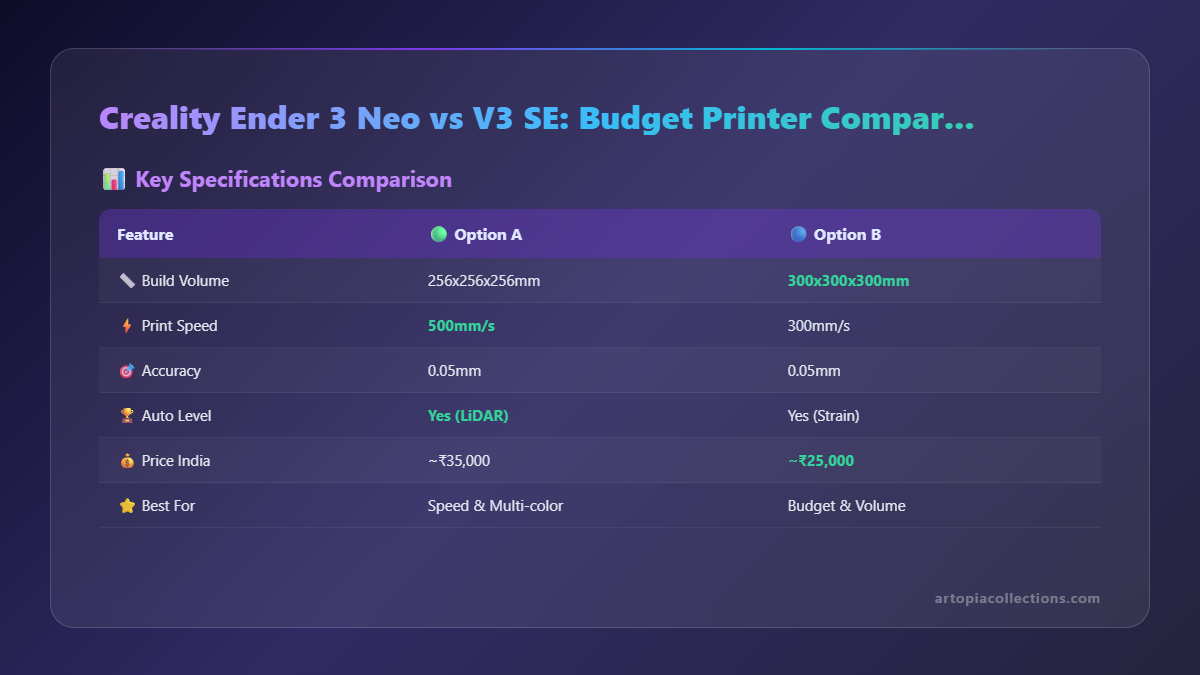 Both printers can produce excellent quality prints. Seriously, with proper calibration and good filament (I swear by brands like eSUN and sometimes even local Indian brands if they're consistent), you can get stunning results from either. However, the V3 SE's direct drive gives it an edge with challenging filaments like TPU, and its better retraction control can sometimes lead to slightly cleaner prints with less stringing. For standard PLA and PETG, both are equally capable of beautiful results.
Speed: V3 SE Has the Edge
The V3 SE is advertised to be faster, and in practice, it generally is. Its improved kinematics and extruder system allow it to push filament and move the print head more efficiently. While I wouldn't always print at max speeds for my client orders (quality over speed, always!), the V3 SE has more headroom if you need to churn out prints quicker. For prototypes or quick functional parts, the V3 SE saves time.
Maintenance & Upgradability: Neo is Simpler, V3 SE is Integrated
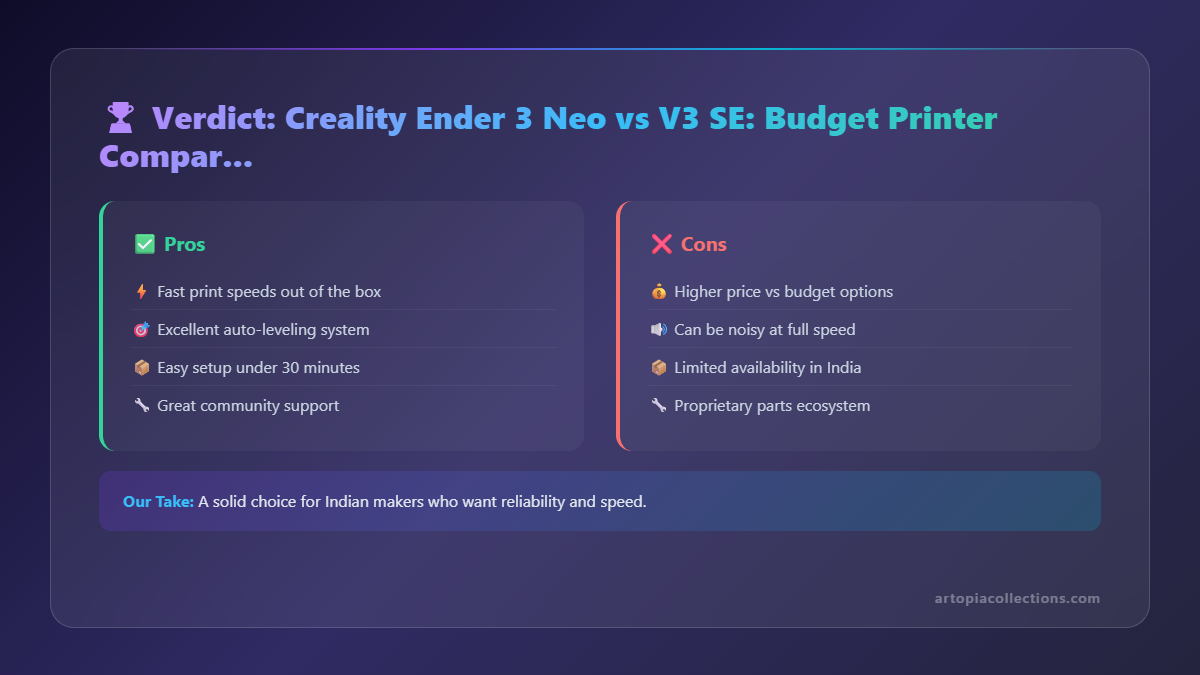 This is a subtle point. The Neo, being a more classic Ender 3 design, is very modular. Want to upgrade the extruder? Easy. Change the hotend? Also straightforward. The V3 SE, with its integrated Sprite extruder and more streamlined design, can be a little more involved if you want to dive into serious hardware modifications. However, both have excellent parts availability in India, which is crucial. You can find spare nozzles, hotends, and even entire replacement extruders quite easily. This is vital for any long-term use, especially for a business.
Filament Compatibility: V3 SE is the Clear Winner
If you're planning to print anything beyond PLA and PETG, the V3 SE is your go-to. Its direct drive setup makes printing flexible filaments like TPU a joy, not a nightmare. I've had so many frustrating experiences trying to get TPU to print reliably on Bowden setups; it's just not worth the headache for me anymore. If your projects involve things like phone cases, flexible parts, or soft prototypes, the V3 SE will save you a lot of grief.
Price: Neo Takes the Crown for Budget-Conscious
If your budget is absolutely tight, and you want the most bang for your buck without crossing that ₹20,000 threshold, the Ender 3 Neo is an undeniable champion. That ₹5,000-₹7,000 difference can buy you a good few rolls of filament, maybe even a nice set of tools or an enclosure. For students, hobbyists on a shoestring budget, or someone just dipping their toes in, the Neo offers incredible value.
My Final Verdict & Recommendation for India
Alright, here's the deal. There's no single "best" printer here. It truly, truly depends on *your* specific needs, budget, and willingness to tinker. Trust me, I’ve been there, making choices for my own setup at ArtOpia. Sometimes I wish I had a farm of Klipperized V3 SEs, but then I look at the reliable Neo churning out parts for days, and I'm reminded of its simple brilliance.
Choose the Creality Ender 3 Neo if:
- Your budget is strictly under ₹18,000.
- You don't mind a little manual leveling (even with CR Touch, it needs a little help).
- You mostly plan to print PLA and PETG.
- You love to tinker, upgrade, and understand the mechanics of your printer.
- You want a proven, robust workhorse with a huge community behind it.
Choose the Creality Ender 3 V3 SE if:
- You have a budget of ₹20,000 to ₹25,000.
- You want the easiest, most hassle-free printing experience possible.
- You plan to print a variety of filaments, especially flexibles like TPU.
- You appreciate modern features, faster setup, and a cleaner aesthetic.
- You want to spend more time printing and less time troubleshooting.
In my personal experience, for a small business like mine, the ease of use and versatility of the V3 SE eventually wins out if the budget allows. The direct drive for TPU alone justifies the cost difference for me, as it opens up so many more possibilities for custom products. However, my journey started with simpler machines, and the Neo represents that fantastic entry point without compromises on core functionality. Both are excellent machines for their price points in the Indian market.
Whatever you choose, remember that 3D printing is a journey of learning and creativity. Don't get discouraged by failed prints – they're just stepping stones to perfect ones! And if you ever need inspiration, or maybe even a custom print designed and made right here in India, definitely check out some of my creations over at ArtOpia Collections. We’re always pushing the boundaries of what’s possible with these amazing machines. Happy printing, my friends!


