Creality Ender 3 V3 CoreXZ: What Changed and Is It Worth Upgrading?
The Creality Ender 3 V3 CoreXZ introduces a significant design shift with its new motion system. We analyze what changed and help you determine if this latest iteration is a worthwhile upgrade for your 3D printing needs.
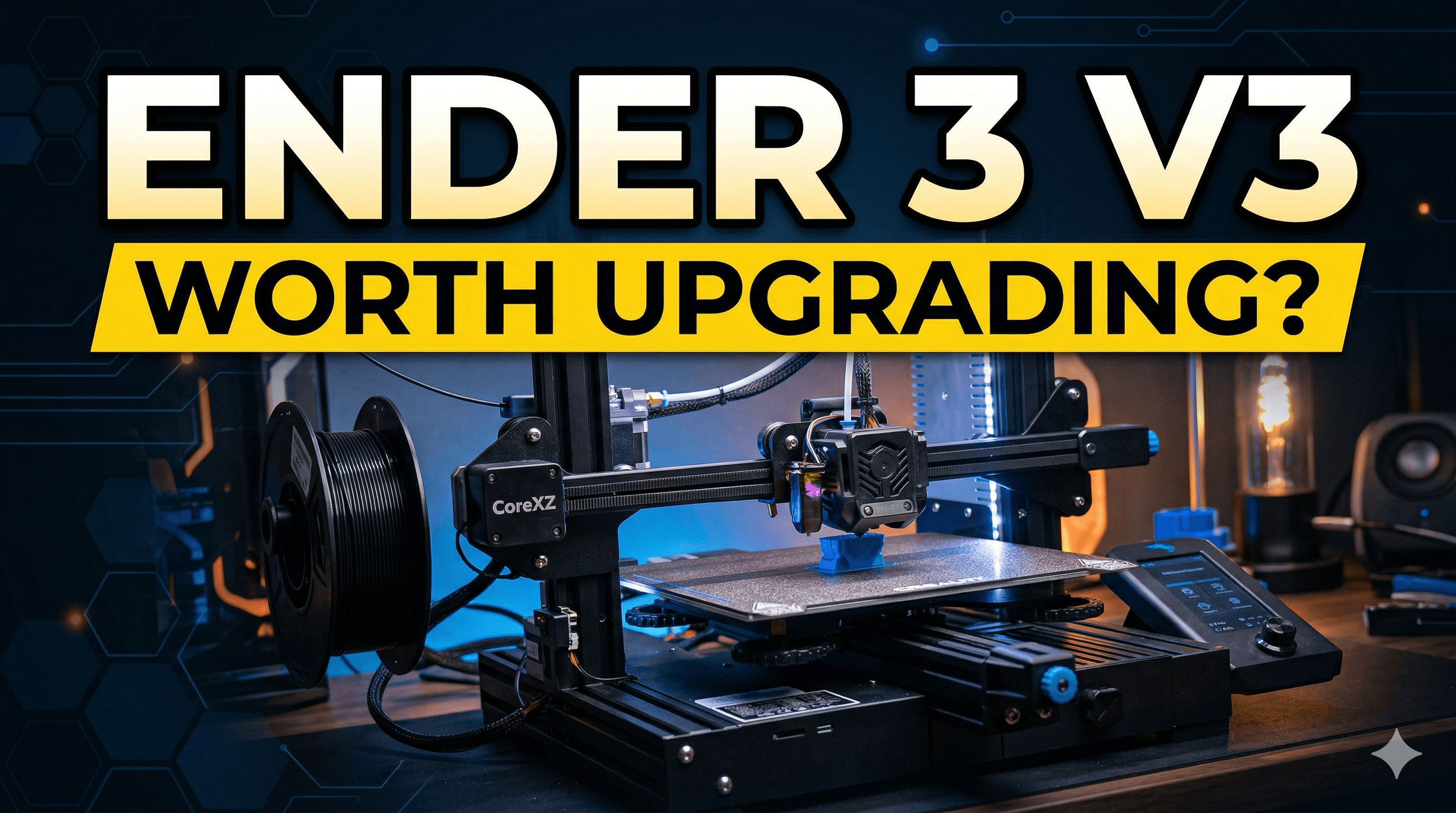
Chalo bhaiyon aur behnon, let's talk about something that's been buzzing louder than my workshop during a particularly busy week – Creality, and specifically, their latest head-scratcher: the Ender 3 V3 CoreXZ. You know, sometimes it feels like Creality just sits there, throws a dart at a whiteboard full of random letters and numbers, slaps "Ender 3" on it, and calls it a day. But this one? This one's actually got me doing a double-take. Like, seriously, CoreXZ? What in the actual extrusion is going on?
I've been running my little 3D printing business, Artopia Collections, right here from India for a few years now, and believe me, I've seen more Ender 3 variations than I've had hot cups of chai. From the OG Pro to the V2, the S1, and all the confusing iterations in between – each one promising to be *the* one, the ultimate budget beast. And let's be honest, for us small businesses, those budget beasts are our bread and butter. We push them hard, we mod them harder, and we make them sing even when they're coughing up hairballs of failed prints.
So, when I first heard whispers of the Ender 3 V3 CoreXZ, my initial reaction was a mix of "Oh, here we go again" and a tiny, undeniable flicker of curiosity. CoreXZ, they said. Speed, they promised. And that's what gets an Indian business owner's ears perked up, isn't it? Speed means more prints, more prints mean more orders fulfilled, and more orders mean... well, you get the picture. More money for better filament, maybe even a new printer!
Ender 3 V3 CoreXZ: What Exactly Is This Sorcery?
Okay, so let's cut through the marketing jargon and get to the meat of it. "CoreXZ" – what does that even mean? Most of us are familiar with Cartesian printers (like your standard Ender 3, where the print head moves left/right, bed moves forward/back, and the whole gantry moves up/down) or CoreXY (like a Bambu Lab or Voron, super fast because the motors are fixed and move the print head in X and Y simultaneously). CoreXZ, my friends, is kind of a hybrid, but leaning heavily into the speed game for the Z-axis too.
Basically, in a CoreXZ setup, the X-axis (left-right movement of the print head) and the Z-axis (up-down movement of the gantry) are controlled by a CoreXY-like belt system. This is a pretty big departure from traditional Ender 3s where the X-axis is on a gantry that rides up and down on lead screws for Z movement. The benefit? Instead of heavy motors moving up and down with the gantry, they're typically fixed to the frame, reducing moving mass. And reducing moving mass, as any racer will tell you, means faster acceleration and deceleration, leading to quicker print times with potentially less ringing and ghosting.
Look, the thing is, CoreXZ isn't a brand-new concept in the 3D printing world. It's been around in the DIY scene for a while, but seeing it on a mainstream Creality machine, especially one bearing the "Ender 3" name, is... interesting. It tells me Creality is finally trying to catch up with the high-speed revolution that Bambu Lab kicked off. They're trying to inject some of that zest into their own tried-and-tested (and sometimes tiring) Ender series.
The Nitty-Gritty: What's Changed From Your Old Ender 3?
Alright, let's break down the major changes, comparing it to what most of us are probably running – an Ender 3 S1 or even a V2.
- The CoreXZ Kinematics: This is the elephant in the room, isn't it? No more lead screws for Z (at least not in the traditional sense for moving the entire gantry). The belt system aims for faster, smoother Z movement. This potentially means better layer lines and fewer Z-wobble issues. Big deal.
- Integrated Die-Cast Frame: Remember the days of wobbly gantries and constantly squaring your frame? Creality claims the V3 CoreXZ has an integrated die-cast frame. This should mean a much more rigid and stable machine right out of the box. Less tweaking, more printing. Amen to that!
- Speedy Hotend and Direct Drive: It features a 60W ceramic hotend with a "tri-metal" nozzle, supposedly capable of melting filament faster and allowing for higher flow rates. And yes, it's a direct drive extruder, which for me, is non-negotiable for my business. Printing flexibles like TPU (which I use for some of my Art Collection pieces) is a breeze with direct drive. No more filament path issues or grinding.
- Klipper Ready (or Running): While specific details might vary by region or batch, the V3 CoreXZ seems designed for or comes with Klipper firmware. This is huge! Klipper unlocks incredible speeds and precision, along with advanced features like input shaping. If you've ever Klipperized an Ender 3, you know the pain and the glory. Having it ready to roll is a massive time-saver for hobbyists and a productivity booster for businesses.
- Auto-Leveling and PEI Plate: Standard fare now, but still appreciated. CR Touch for auto-bed leveling and a flexible PEI spring steel sheet. It's just expected on any new printer these days, and it's good that Creality isn't skimping on these quality-of-life features.
- Integrated Mainboard and Sensors: Faster processors, quieter stepper drivers, and likely improved thermal management. All good things that contribute to a more reliable and pleasant printing experience.
The Good, The Bad, and The "Chalo Dekhte Hain"
Alright, so is this the printer that's going to change the game for us in India? Let's break it down.
The Good Stuff (Ache Points)
- Speed & Quality Potential: The CoreXZ kinematics combined with Klipper (or Klipper-like) capabilities really promise higher speeds without sacrificing too much quality. For a business like mine, faster turnaround means more profit.
- Robust Build: That integrated frame? If it's as sturdy as they say, it means less time spent on maintenance and calibration, and more time printing. That's a huge win in my book.
- Direct Drive: Already mentioned it, but it's worth reiterating. Versatility for different filaments is key, especially if you offer a range of products.
- Modern Features Out-of-the-Box: Auto-leveling, PEI plate, modern hotend – it's all there, so you're not spending extra time and money on essential upgrades.
The Not-So-Good (Bure Points)
- The Price Tag: This is where it gets tricky for us in India. While official prices aren't always set in stone immediately, I'm expecting this machine to hover in the ₹35,000 to ₹45,000 range, at least initially. That's a significant jump from the traditional Ender 3 budget, and it puts it in a whole new competitive bracket.
- Creality's Track Record: Let's be honest, Creality sometimes rushes products to market. There's always that fear of being an early adopter and running into bugs or quality control issues. We've seen it before.
- "Ender 3" Name: Does it still carry the budget, mod-friendly connotation, or is it trying to be something else entirely? It might confuse some buyers who expect a sub-₹20,000 machine.
- Learning Curve: While Klipper-ready is great, for absolute beginners who just want to plug and play, Klipper can have a steeper learning curve than traditional Marlin.
Is It Worth Upgrading? My Honest Opinion, From One Desi Printer to Another
This is the million-dollar question, isn't it? As someone who runs a business and has a fleet of printers (including some heavily modded Ender 3s), here's my take:
If You're a Newbie Looking to Buy Your First Printer:
If your budget allows for it (let's say you're looking at spending ₹35,000-₹45,000), then yes, the Ender 3 V3 CoreXZ *could* be a great option. You're getting a modern machine with high-speed potential, good build quality, and all the essential features out of the box. You won't have to spend months tinkering to get good prints. But do your research, because at this price point, you're also looking at competitors like the Anycubic Kobra 2 Pro or even stretching a bit for a Bambu Lab A1 Mini, which are also excellent high-speed options.
If You Already Own an Ender 3 V2, Pro, S1, or Similar:
Honestly? Probably not worth the direct upgrade. Unless your current machine is literally falling apart, or you *desperately* need the absolute bleeding-edge speed and want to spend ~₹40,000. Most of us who run these older Enders have already modded them to oblivion. We've added Klipper, direct drive, PEI plates, better hotends. You can get a lot of performance out of an older Ender 3 with some smart upgrades for much less than the cost of a whole new V3 CoreXZ. Think about it: a Klipper setup for your current Ender costs, what, ₹5,000-₹8,000? A good direct drive is another ₹3,000-₹6,000. That's nowhere near ₹40,000. You'd be better off saving that money for a completely different class of printer – maybe a bigger format, or a resin printer for finer details. Or, you know, just buy more quality filament! I personally swear by brands like eSun and Amaker, readily available on Amazon.in. Quality filament makes a world of difference.
If You're a Small Business Owner Like Me:
This is where it gets nuanced. If I were expanding my farm and needed a new, reliable, *fast* machine, I'd definitely consider it. Especially if Creality can ensure consistent quality control. The speed potential means higher throughput for client orders, which directly translates to more revenue. However, I'd probably wait for some solid reviews from early adopters, especially folks in India, before jumping in. For now, my fleet of Klipperized Ender 3 S1s and a couple of Anycubics are doing a fantastic job, and I know them inside out. The cost-benefit analysis has to make sense. If this V3 CoreXZ can consistently output prints 2x faster than my current setup with similar quality, then the investment might be justified for a couple of units.
The Verdict: A Step in the Right Direction, But Proceed with Caution
The Creality Ender 3 V3 CoreXZ is an exciting development. It shows Creality is listening to the market and trying to innovate beyond minor tweaks. The CoreXZ kinematics, integrated frame, and Klipper-readiness are genuine upgrades that put it in a different league from its predecessors. It's not just another Ender 3; it's Creality's attempt at a high-speed, modern consumer printer.
However, the "Ender 3" name might mislead some, and the price point will certainly make people pause. For many existing Ender 3 owners, the leap might not be worth the cost when a few clever upgrades can get you 80% of the way there. For new buyers with a generous budget, it's definitely a contender, but do weigh it against other strong options in that mid-range segment.
In my experience, patience is key in the 3D printing world. Let the initial reviews roll in, see how the Indian market adopts it, and then make an informed decision. For now, I'll stick to my trusty (and heavily modded) machines, churning out awesome prints for Artopia. But I'll be watching this one closely. Very, very closely. What do you guys think? Is this the future of the Ender 3 line, or just another stop on Creality's never-ending printer release train?


