Creality Ender 3 V3 Plus Review: Specs, Price, and India Availability
This post dives into everything known so far about the highly anticipated Creality Ender 3 V3 Plus. We explore its rumored features, technical specifications, and what users can expect from this latest iteration of a beloved 3D printer.
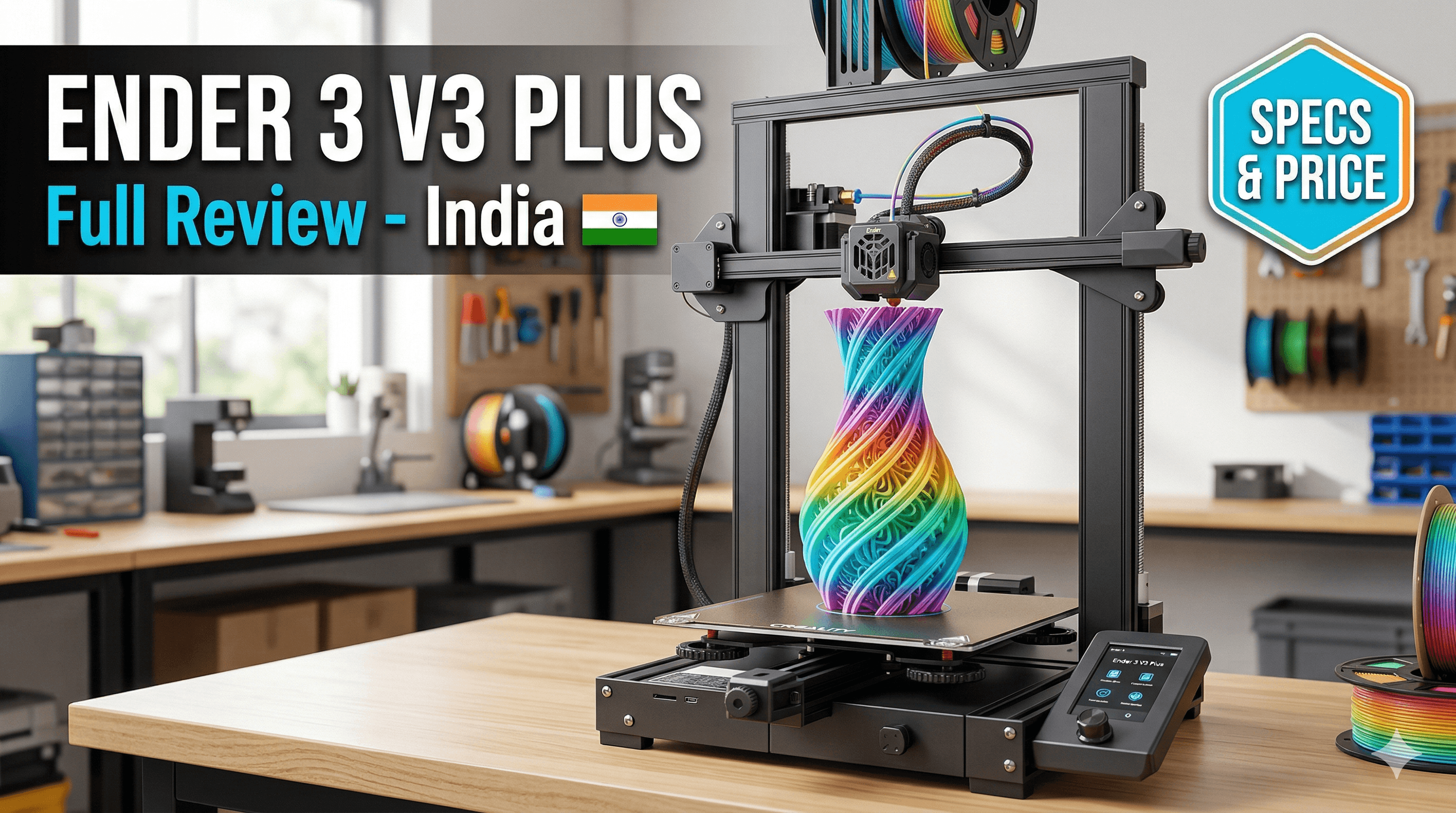
Creality Ender 3 V3 Plus: Everything We Know About the New Model (and Why My Wallet's Already Sweating!)
Alright, folks, gather 'round! Pour yourselves a cup of chai, settle in, because we need to talk. My DMs have been blowing up, the Reddit threads are buzzing, and my WhatsApp groups are practically on fire with one question: What in the world is the Creality Ender 3 V3 Plus, and do I need it? And honestly, as someone who practically breathes filament and has a small business built around these very machines here in India, I'm just as excited (and maybe a little overwhelmed, let's be real) as you are.
Creality, man, they're like the Bollywood producers of the 3D printing world – constantly churning out blockbusters, sometimes a sequel, sometimes a whole new franchise, and sometimes... well, sometimes you just scratch your head and wonder what they're thinking. But you know what? We keep watching, we keep buying, because they keep pushing the boundaries for affordable, accessible 3D printing. And that, my friends, is why my filament stash is always running low, because there's always something new to print!
The "V3" Series: A Whirlwind of Upgrades
Let's rewind a bit. The original Ender 3 was a revolution. The Ender 3 V2 polished it up. Then came the S1 series, which brought direct drive and auto-bed leveling to the masses. And just when we thought we had a grasp on things, Creality dropped the V3 series on us like a monsoon rain – the V3 SE, V3 KE, and even the K1 series (which is a whole different beast, though built on similar philosophies). They've been focusing on speed, ease of use, and a more streamlined printing experience. Basically, they're trying to make 3D printing less like a science project and more like, well, just pressing print.
The V3 SE (I've got a couple of these humming away in my workshop) is fantastic for beginners. It's solid, reliable, and prints pretty well out of the box. You can snag one for around ₹22,000 to ₹25,000 these days, which is incredible value. Then the V3 KE came along, adding Klipper firmware out of the box, Wi-Fi, and seriously boosting the speed. That one's closer to ₹30,000 to ₹35,000, and for a small business like Artopia Collections, where time is literally money, that speed is a game-changer for batch production.
So, where does the "Plus" fit into this increasingly crowded family portrait?
What Does "Plus" Even Mean for Creality?
 Historically, a "Plus" model from Creality almost always means one thing: bigger build volume. Think Ender 3 Max, CR-10 Smart Pro, or even the older CR-10 line. It's about giving you more space to print those larger-than-life models, functional prototypes, or multiple parts in a single run. And honestly, for anyone doing custom orders or prototyping, that extra space is gold. I mean, how many times have I had to slice a model into five different pieces just to fit it on a standard 220x220mm bed? Too many, my friends. Too many.
But it's not just about size. Usually, with a "Plus" or a "Max" version, Creality also throws in some quality-of-life improvements or beefier components to handle the larger footprint and increased stresses. This could mean a more rigid frame, stronger gantry, or perhaps even a more powerful heating element for that bigger bed. Let's dive into what the rumour mill (and some sneaky leaks) are suggesting for the Ender 3 V3 Plus.
The Big Reveal: Features We're Expecting (and Hoping For!)
1. Massive Build Volume (The Obvious One!)
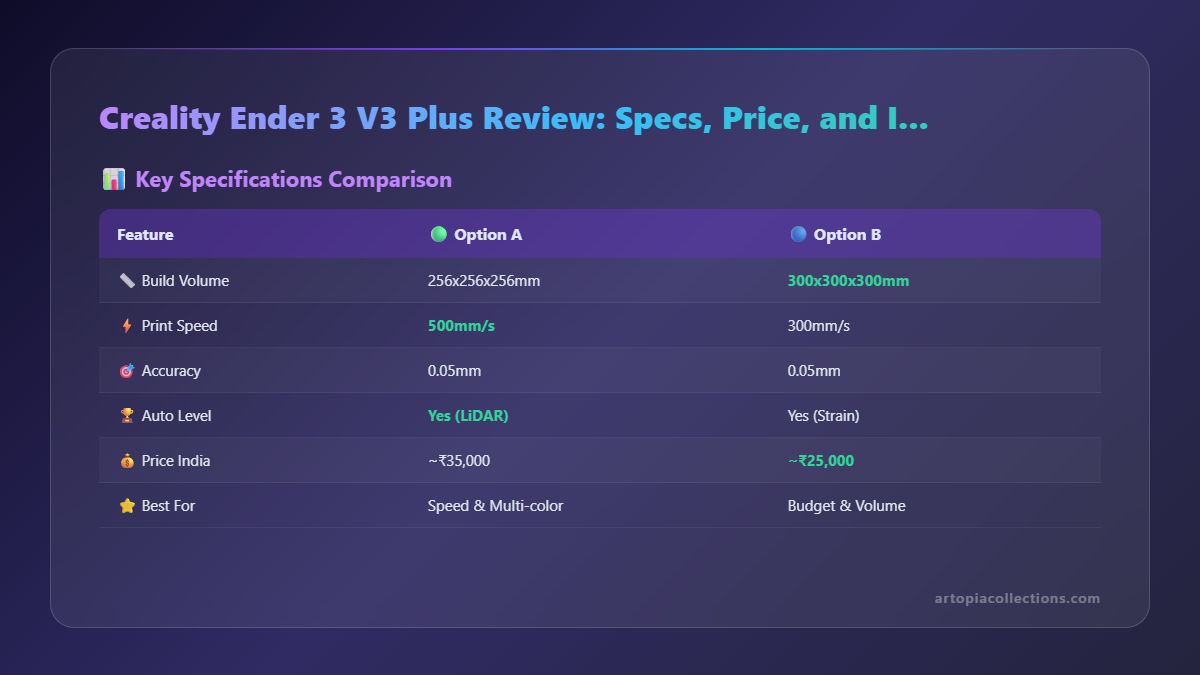
This is a no-brainer. The standard Ender 3 V3 SE/KE has a 220x220x250mm build area. I'm personally expecting the V3 Plus to push that significantly. We're talking something in the range of 300x300x300mm or even 300x300x320mm. Some whispers even suggest 350mm in one dimension, which would be truly exciting! Imagine printing those full-size cosplay helmets or large architectural models without having to glue them together from a dozen tiny pieces. This alone would make it incredibly attractive for my business, especially for bespoke furniture parts or large decorative items for clients.
2. Speed, Speed, and More Speed! (Klipper, Are You There?)
The V3 KE set a new standard for speed in the Ender 3 lineup, hitting up to 500mm/s print speeds thanks to Klipper firmware, input shaping, and pressure advance. My gut feeling (and really, my deepest wish) is that the V3 Plus will inherit this. If it's a "Plus" version of the V3 line, it absolutely *has* to come with Klipper pre-installed and optimized for that larger bed. Without Klipper, printing on a 300x300mm bed at "slow" speeds would mean prints taking days, not hours. And nobody's got time for that, especially when a client is waiting!
I mean, if it's got Klipper out of the box, that's already a huge win. My V3 SEs are still running Marlin (nothing wrong with it, mind you), but the speed difference is noticeable. The KE just flies. So, a large format KE? Yes, please!
3. The Extruder: Sprite Direct Drive, Naturally
The entire V3 lineup (and most recent Creality printers, for that matter) sports their excellent Sprite direct drive extruder. It's compact, reliable, and handles pretty much any filament you throw at it – PLA, PETG, TPU, ABS, you name it. I'd be incredibly surprised if the V3 Plus didn't come with at least the standard Sprite extruder, if not the Sprite Extruder Pro, which offers slightly higher temperature capabilities. A direct drive is essential for flexible filaments like TPU, which I use a lot for gaskets and soft-touch items. So, this is basically a given.
4. Auto Bed Leveling: CR Touch (or a Better Variant)
Every V3 printer has CR Touch, Creality's inductive bed leveling sensor. It's a lifesaver. No more fiddling with paper and trying to get that perfect first layer. The V3 SE and KE also introduced auto Z-offset, which is another convenience I've come to really appreciate. It just works. For a bigger bed, a reliable auto-leveling system becomes even *more* crucial. Trying to manually level a 300x300mm bed would be a nightmare. So, expect this to be standard, and hopefully, just as accurate as its smaller siblings.
5. Enhanced Frame Rigidity and Gantry System
This is where the "Plus" could really shine beyond just size. A larger build volume means more leverage, more potential for wobble, and more vibrations, especially at higher speeds. To counteract this, I'm expecting Creality to have beefed up the frame. Perhaps a wider aluminum extrusion profile, dual Z-axis screws (which is pretty standard for larger printers now), and maybe even some additional gantry supports. Think of the Ender 5 S1, with its cube-frame design – extremely rigid. While I don't think the V3 Plus will be a cube printer, I'm hoping for improvements to keep things stable and precise. My Ender 3 V3 SE is pretty solid, but for a bigger version, more support would be crucial.
6. Input Shaping & Vibration Compensation
If it has Klipper (which, again, I'm betting it will), then input shaping for vibration compensation is a must. This technology dramatically reduces ringing and ghosting artifacts, especially at high speeds. It uses an accelerometer to measure vibrations and then compensates for them. On a larger printer, with potentially more inertia, this will be absolutely vital for maintaining print quality at high speeds. This isn't just a fancy feature; it's a necessity for reliable, fast printing on a bigger machine.
7. UI and Connectivity: Touchscreen & Wi-Fi
The V3 KE comes with a lovely 4.3-inch color touchscreen and Wi-Fi connectivity, allowing for remote printing and monitoring via Creality Print software or even a web interface (if it's Klipper). The V3 Plus should absolutely carry these features forward. Managing prints on a large format printer often means longer print times, so being able to monitor progress from your phone or laptop is incredibly convenient. Plus, that touchscreen just makes navigating the menus so much nicer than a scroll wheel.
Price Speculation: What's it Going to Cost Us?
Alright, the elephant in the room. Or rather, the large format printer in the room. Given that the V3 SE is around ₹22,000-₹25,000 and the V3 KE is ₹30,000-₹35,000, a V3 Plus, especially if it combines a larger build volume with the speed and features of the KE, won't be cheap. I'm personally guessing it'll land somewhere in the ₹38,000 to ₹45,000 range. If it comes with genuinely significant frame upgrades or an even larger build area (say, 350mm), it might even push ₹50,000. That's a serious investment for a hobbyist, but for a small business like mine, it could be a justifiable expense if it significantly boosts production capability and allows for larger, more complex prints.
Compared to other large format printers like the Anycubic Kobra 2 Max (which is pretty beastly and goes for around ₹55,000-₹65,000), a V3 Plus at ₹40k-₹45k would be extremely competitive, assuming it delivers on speed and reliability. Creality generally aims for that sweet spot of affordability.
Who is the Ender 3 V3 Plus For?
 So, is this the printer for you? I'd say it's aimed squarely at a few groups:
- The Advanced Hobbyist: Someone who's tired of splitting large models, wants more space for intricate designs, and is ready to upgrade from a smaller machine.
- Small Businesses & Entrepreneurs: Like me! For producing larger prototypes, custom parts, decorative items, or even small batch production where size matters. This would directly benefit Artopia Collections, letting me expand our product range.
- Cosplay & Prop Makers: This one's a no-brainer. Full-size helmets, armor pieces, movie props – all become much easier with a bigger print volume.
- Educators & Makerspaces: A larger, reliable printer can be a great asset for teaching or for shared use in a community workshop.
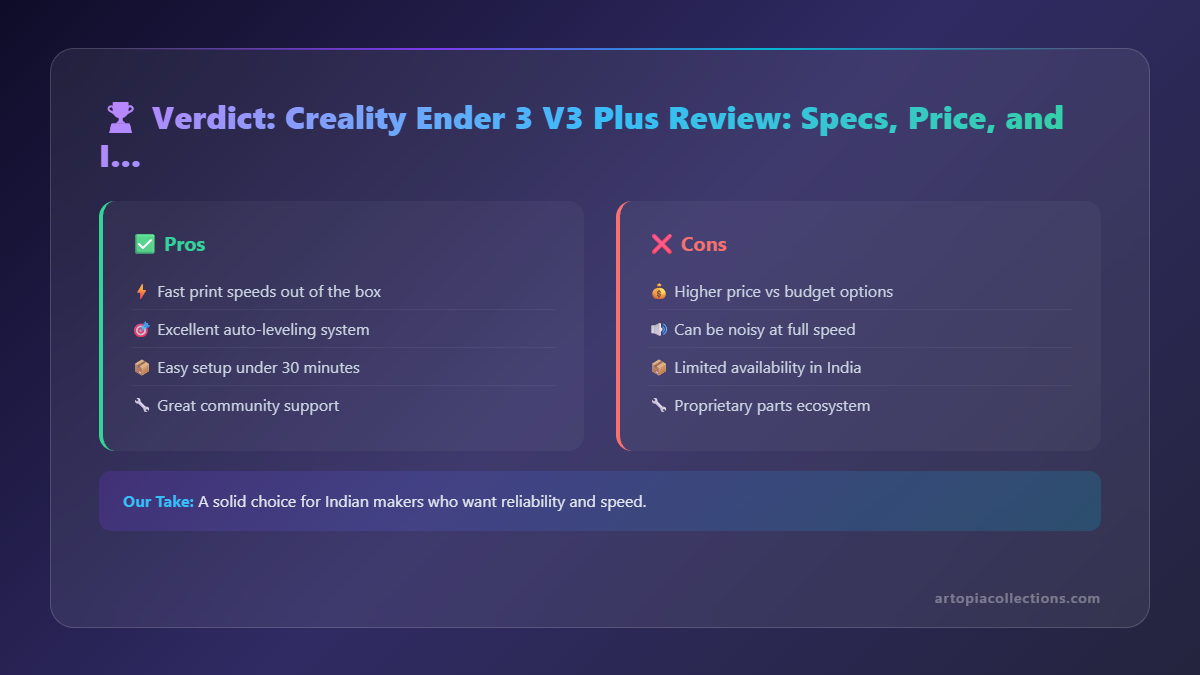
If you're just starting out, or only print small miniatures, then the V3 SE or even the smaller KEs might be a better, more budget-friendly option. But if you're constantly wishing you had just a *little* more space, then the V3 Plus could be exactly what you've been waiting for.
My Honest Take: Excitement vs. Printer Fatigue
Look, I'm passionate about 3D printing. I've seen this industry grow so much in India, from a niche hobby to something genuinely impacting small businesses and creators. Creality has been a huge part of that. But sometimes, even I get a little bit of "printer fatigue." It feels like every other month there's a new model, and it's hard to keep up!
That being said, a large format, fast, and user-friendly Ender 3 V3 Plus is genuinely exciting. The combination of a bigger build volume with the Klipper-powered speed and ease of use from the V3 KE could be a very potent package. If Creality nails the build quality and keeps the price competitive, this could be a standout machine for 2024. My current lineup of V3 SEs and a couple of older S1 Pros do a fantastic job, but I'm always looking for that next step up, especially if it means less post-processing and more throughput for my clients.
I'm eager to see the official announcement, the full specs, and some real-world reviews. Until then, I'm just here, refreshing my feed, speculating with you all, and probably, let's be honest, starting to save up a little just in case. Because you know how it is – a new printer is always a good idea... right? (Don't tell my wife I said that).
What are YOUR thoughts? Are you excited for the Ender 3 V3 Plus? What features are you hoping for most? Let me know in the comments below!
India Availability: The Creality Ender 3 V3 Plus is expected to be priced around INR 22,000-28,000 in India, available through Amazon India and Creality India official store. It offers a larger 300x300x330mm build volume compared to the standard V3.