Ender 3 V3 KE vs V3 SE: Which Creality Budget Printer Is Better?
Choosing between the Ender 3 V3 KE and V3 SE can be tough for budget-conscious buyers. This post breaks down their features, performance, and value to help you make the best decision.
Artopia Collections Blog Team30 January 20269 min read
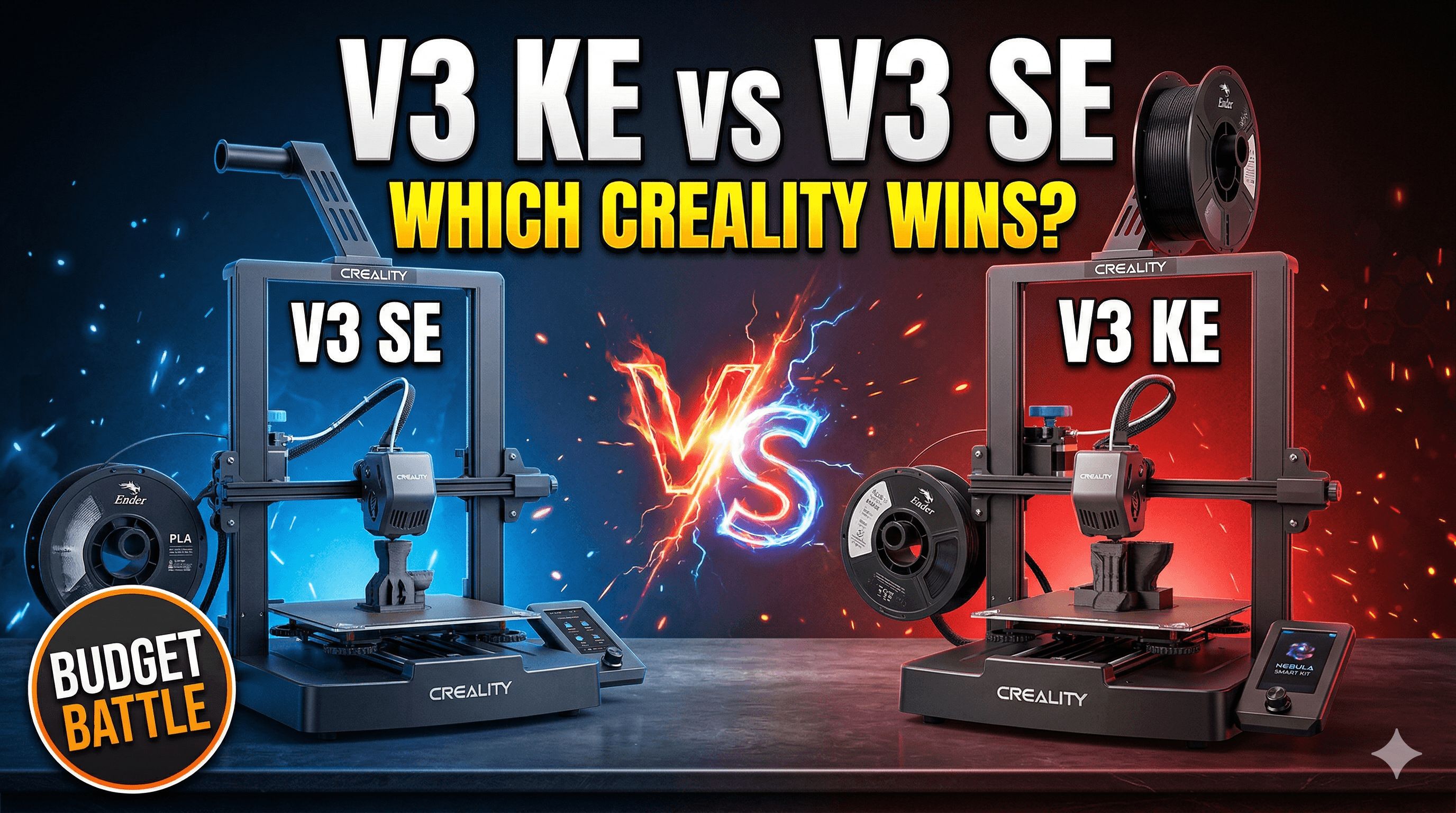
Ender 3 V3 KE vs V3 SE: Which Creality Budget Printer Is Better for Your Indian Workshop?
Oh, boy, here we go again! Another day, another friend (or customer, honestly, it's blurring these days!) hitting me up with the same burning question: "Vidyut bhai, I want to get into 3D printing, or upgrade my old machine. I've heard about these new Ender 3 V3 printers. Should I get the V3 SE or the V3 KE? What's the real deal?" And look, it's a completely valid question, because Creality has really thrown a curveball with these two. They look kinda similar, they share a name, but the price difference, even here in India, is significant enough to make you pause and scratch your head. As someone who's not just passionate about 3D printing but also runs a small business churning out custom prints and prototypes right here from my workshop – you know, like the stuff I make for ArtOpia – I've been watching these machines *very* closely. I’ve even had a chance to tinker with both, push them to their limits, and basically see what makes them tick. So, let’s grab a cutting chai, and I'll break down the Ender 3 V3 SE and the Ender 3 V3 KE, helping you figure out which one is the true champion for your rupees.The Ender 3 V3 SE: The Friendly Neighborhood Workhorse
Let's start with the Ender 3 V3 SE. This little guy, when it first dropped, was like a breath of fresh air. It's a direct-drive printer, which for anyone who's struggled with Bowden setups and flexible filaments (TPU, anyone?), is a huge deal. No more spaghetti monsters because your filament kinked in the tube, nope! It just pushes the material right into the hotend, nice and direct. And for its price point – you can usually snag one in India for around ₹18,000 to ₹22,000, depending on where you buy it from and what sales are on – it's an absolute steal for what it offers. What makes the V3 SE so appealing, especially for someone just starting out? Well, it's incredibly user-friendly, and that’s not just marketing fluff. Creality really did a good job of making it almost plug-and-play. You spend maybe 15-20 minutes on assembly, and boom, you're practically ready to print. It comes with CR Touch auto-bed leveling built-in, which is a blessing, especially if you're coming from an older machine where manual leveling was a constant battle. And it has a decent sprite direct drive extruder. It handles PLA, PETG, and even some softer TPU with ease. For daily hobbyist prints, prototyping simple parts, or just getting a feel for the 3D printing world, it’s fantastic. It’s got a spring steel PEI sheet too, which is just brilliant for print adhesion and easy part removal. Honestly, I love PEI sheets; they've saved me so much hassle. But here's the deal, it's still an Ender 3 at heart, meaning it's robust, reliable, and a great base for learning. The print speeds are respectable for its class, around 150-180mm/s, but it's not going to win any races. And that’s perfectly fine for most people. If you're printing miniatures, household gadgets, or just experimenting, speed isn’t always the top priority. What you get is consistent, good-quality prints without too much fuss. I personally think it's one of the best entry-level printers Creality has ever released. It just works.The Ender 3 V3 KE: The Speed Demon with Brains
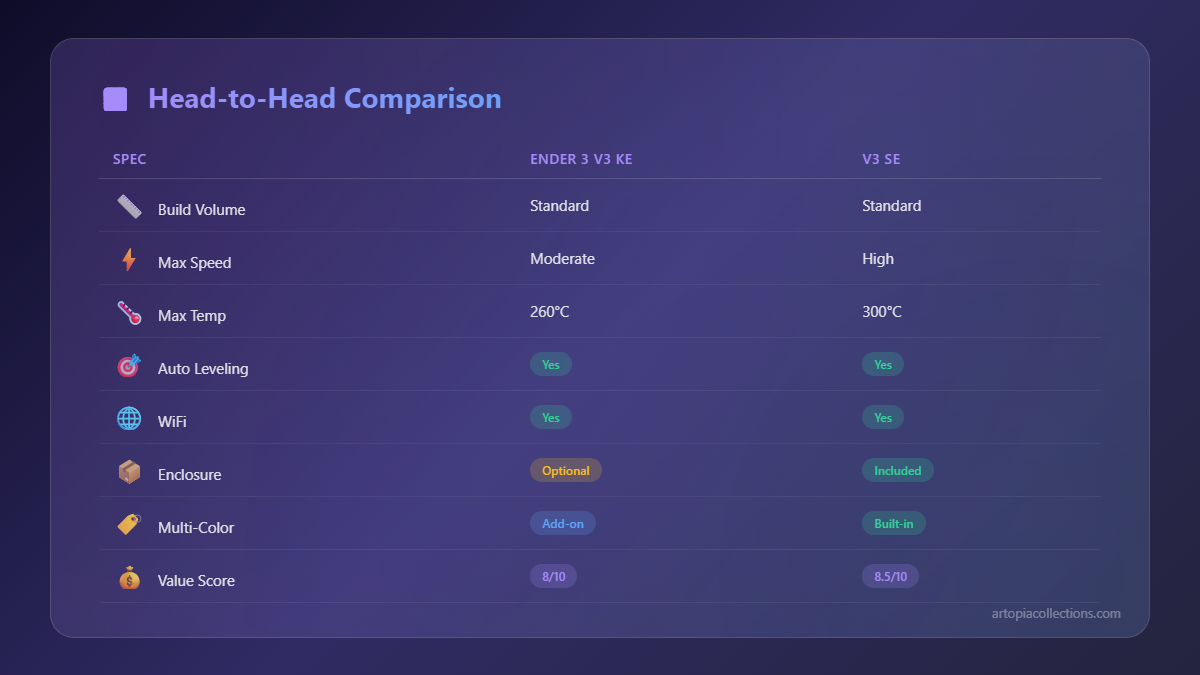
Now, let’s talk about the big brother, the Ender 3 V3 KE. This printer is a different beast entirely, and the price reflects that. You're looking at something in the ₹25,000 to ₹30,000 range, sometimes a bit more, sometimes a bit less, again, depending on offers and retailers. That's a jump, right? But the thing is, you’re getting a whole lot more for that extra cash. The biggest, most talked-about feature of the KE is that it comes with Klipper firmware right out of the box. Yes, you heard that right! No more messing around with Raspberry Pis, flashing firmware, or complicated setups. It's basically an Ender 3 with a built-in brain upgrade, making it incredibly fast and efficient. We're talking print speeds of up to 500mm/s, which is insane compared to the SE. It achieves this not just through raw speed but also by incorporating input shaping and pressure advance, which Klipper excels at. These features dramatically reduce ringing and ghosting, making your fast prints look incredibly clean. But it’s not just Klipper. The KE also boasts linear rails on the X-axis, which means smoother, more precise movement and less wear and tear over time. That’s a significant upgrade for long-term reliability and print quality. It also has a much better hotend, a ceramic heater block that can reach higher temperatures (up to 300°C), meaning you can print with a wider range of engineering filaments like Nylon, or PC, if you wanted to, without needing an enclosure, of course. (The SE is capped around 260°C). And here’s another huge plus for me, especially running a business: it has Wi-Fi connectivity. You can control it from your computer or phone, send files wirelessly, monitor prints remotely – it’s a game-changer for workflow efficiency. Imagine starting a print from bed, or checking on it when you're grabbing lunch. So convenient! It truly elevates the experience beyond just a hobbyist machine.Head-to-Head: Where the Rubber Meets the Road
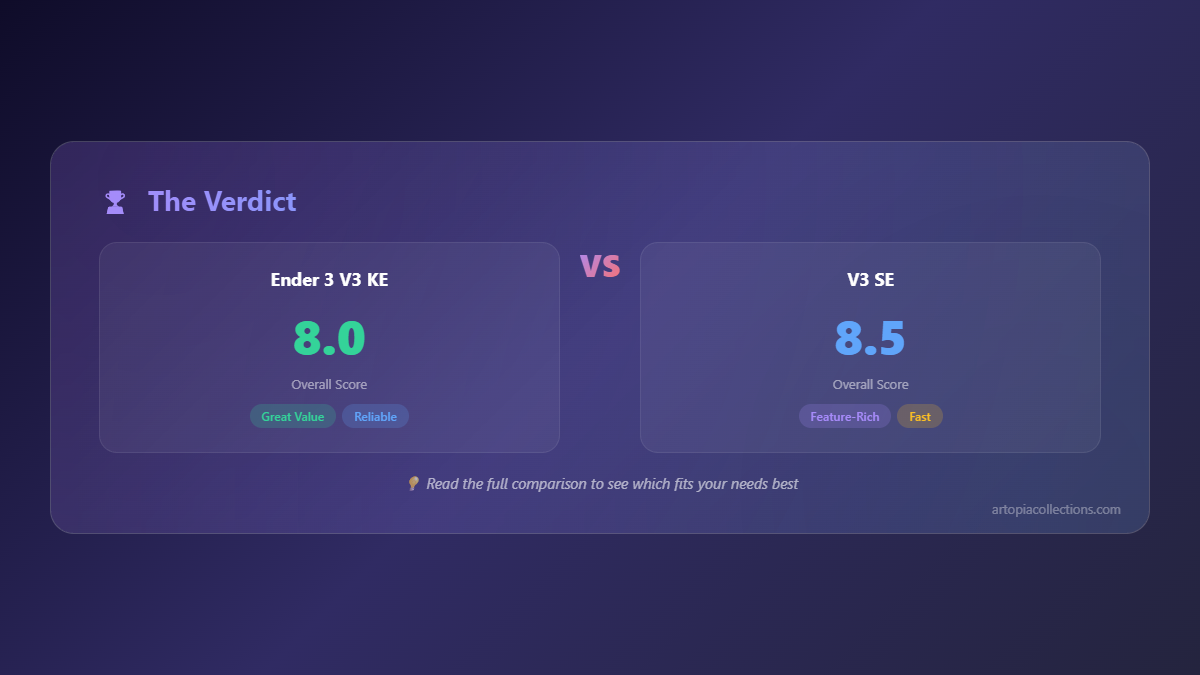
Okay, so we've looked at them individually, but how do they stack up side-by-side? This is where the choice really becomes clear. * Speed and Firmware: This is the *biggest* differentiator. The V3 KE, with Klipper and input shaping, is significantly faster and produces cleaner prints at high speeds than the V3 SE. The SE is no slouch, but it’s not in the same league. * Hotend and Filaments: The KE's ceramic hotend and higher temperature capabilities (300°C) mean it can handle a broader range of filaments. The SE (260°C max) is great for common materials like PLA and PETG, and even some TPU, but if you dream of printing high-temp stuff, the KE is your guy. * Motion System: The KE has linear rails on the X-axis for better precision and durability. The SE uses traditional V-wheels, which are fine, but not as robust or precise over time. * Connectivity: KE has Wi-Fi and a USB host for a webcam, offering remote control and monitoring. The SE relies on USB and SD cards for file transfer, a more traditional approach. * Price: The SE is definitely the more budget-friendly option, coming in at a good ₹5,000 to ₹8,000 less than the KE. That's a decent amount of money you could spend on filament, extra nozzles, or other tools. Speaking of filament, if you're looking for good quality PLA to get started, you can find a lot of options on Amazon.in. It's always good to stock up! * User Experience: Both are relatively easy to assemble. The SE is more "plug-and-play" in a simple sense, while the KE, while still easy to set up, benefits from understanding Klipper’s potential, which might be a tiny bit more to learn for a complete beginner, but nothing insurmountable.So, Which One Should YOU Buy? My Honest Opinion from India
This is where it gets personal, right? Because the "better" printer isn't always the one with the most features; it's the one that best fits *your* needs and budget.Get the Ender 3 V3 SE if:
- You're a complete beginner to 3D printing and want an easy, reliable machine to learn on without breaking the bank.
- Your budget is tighter, say around ₹20,000, and you want the most bang for your buck in that range.
- You mostly print standard materials like PLA, PETG, and occasional TPU.
- You don't need lightning-fast print speeds; decent quality at moderate speed is enough for your projects.
- You don't mind transferring files via SD card or USB; remote control isn't a high priority.
- You appreciate a simple, no-frills (but still direct drive!) printing experience.
Honestly, for most hobbyists, the V3 SE is more than enough. It'll open up a whole new world of creation for you. You can check it out on Amazon.in here, though prices fluctuate, so always keep an eye out!
Go for the Ender 3 V3 KE if:
- You're an experienced printer looking for a significant upgrade in speed and efficiency without spending on a premium CoreXY machine.
- You need to print faster, maybe for a small business or if you're just impatient (totally get it!).
- You want the advanced features of Klipper, including input shaping and pressure advance, for super clean, high-speed prints.
- You plan on experimenting with higher-temperature engineering filaments.
- Remote control and Wi-Fi connectivity are important for your workflow.
- You appreciate the improved durability and precision of linear rails.
- Your budget allows for the ₹25,000 - ₹30,000 range.
For my business, the KE is a no-brainer. The speed and Klipper integration save me so much time, and time, as they say, is money! The remote management is super handy too. If you're serious about ramping up your printing game, this is a solid choice. You can find the Ender 3 V3 KE on Amazon.in if you're ready to take the plunge.


