Kingroon KLP1 Review: Affordable Klipper Printer for India
The Kingroon KLP1 aims to be an affordable Klipper-ready 3D printer for the Indian market. This review explores whether it lives up to the hype, detailing its features, print quality, and overall value.
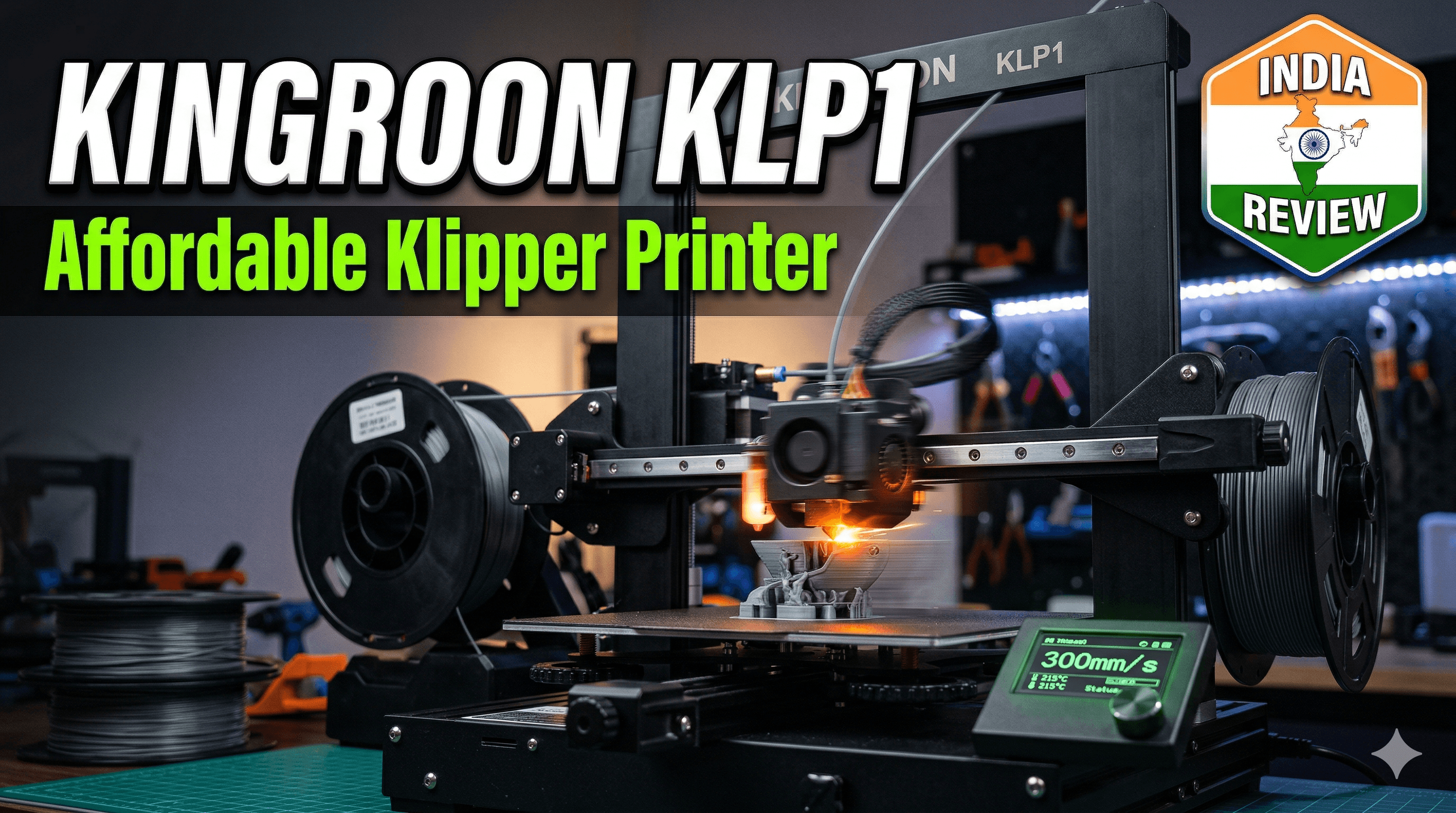
Man, has anyone else felt the pinch of trying to get into high-speed 3D printing in India without selling a kidney? For the longest time, Klipper-powered machines, especially those sweet CoreXY beasts, felt like a distant dream for small businesses like mine. You’d look at a Bambu Lab or a Prusa and think, "Yeah, that's amazing, but the upfront cost? Forget about it!" Especially when you're trying to keep your margins healthy and serve local customers who aren't always ready to pay a premium for every single print. So, when I first heard whispers about the Kingroon KLP1, an affordable CoreXY Klipper printer hitting the market, I was skeptical, to say the least. Could it actually be true? Could we finally get serious speed and quality without draining our bank accounts?
My Klipper Journey: Why Speed and Reliability Matter for a Small Business
Let me take you back a bit. When I started ArtOpiA Collections, it was all about passion. Printing cool stuff, seeing designs come to life. But when you turn a hobby into a business, things get real, real fast. Suddenly, every print failure is lost money, every slow print is delayed delivery, and every minute spent tinkering is time away from designing new products or dealing with customers. I started with typical Cartesian printers, you know, the Ender 3 clones that everyone begins with here in India. They’re fantastic for learning, don't get me wrong. My farm of modified Enders has printed thousands of meters of eSUN PLA filament and local Indian brands, cranking out everything from architectural models to custom prototypes and the fun quirky stuff you see on my store. But they have their limits, especially when you start pushing for speed and consistent quality across the board. Input shaping? Pressure advance? These were concepts I longed for, but upgrading an Ender to Klipper properly, with a Raspberry Pi and all the tuning, felt like a project in itself. And honestly, it still doesn't quite get you the rigid, high-speed performance of a CoreXY system.
The thing is, Klipper isn't just about going fast. It's about precision, consistency, and unparalleled control. It lets your printer dance to a much more sophisticated tune, ironing out vibrations (input shaping) and predicting filament flow (pressure advance) to give you smoother walls, sharper corners, and basically, a much better-looking print, even at breakneck speeds. For a business, this translates directly to higher customer satisfaction and less post-processing time. It’s a win-win. But getting into that world typically meant shelling out upwards of ₹60,000 to ₹1 Lakh for a complete, ready-to-rock machine. That’s a significant investment for a small operation, especially when every rupee counts.
Enter the Kingroon KLP1: A Glimmer of Hope?
So, when I saw the Kingroon KLP1 pop up on my radar, claiming to offer an integrated Klipper experience in a CoreXY form factor for a price point that seemed almost too good to be true – somewhere in the range of ₹25,000 to ₹30,000 depending on sales and import duties – I was intrigued. I mean, that’s almost half or even a third of what some other machines cost! I started digging, watching every review I could find, mostly from international channels, trying to gauge if this was just another "cheap and cheerful" printer or something genuinely revolutionary for the Indian market.
I finally decided to take the plunge. After a bit of hunting, I managed to get my hands on one. My first impression right out of the box was, "Okay, this thing actually feels pretty solid." It's not a featherlight toy; it's got some heft to it. And the packaging was decent, which is always a good sign when you're getting something shipped halfway across the world. The setup was, shall we say, a mixed bag, but more on that later. The promise was clear: CoreXY, direct drive, integrated Klipper, and an enclosure, all at a price that wouldn't make my accountant weep. And for that, I was ready to give it a shot.
Getting Down to Business: What Makes the KLP1 Tick?
Let’s talk specs and features, because this is where the KLP1 really tries to punch above its weight class.
CoreXY Kinematics and Speed
This is the big one. CoreXY. Unlike Cartesian printers where the bed moves back and forth and the print head moves left/right and up/down, in a CoreXY system, the bed only moves up and down (Z-axis). The print head moves in both X and Y axes using a complex belt system, but crucially, it's a lighter system, which means less inertia. Less inertia means faster acceleration, faster deceleration, and less ringing on your prints. I've been routinely hitting print speeds of 150-200mm/s with good quality on the KLP1, sometimes even pushing 250mm/s for infill. And that's a game-changer for my business. I mean, my old Enders would start shaking themselves apart if I tried that!
Integrated Klipper (with Mainsail)
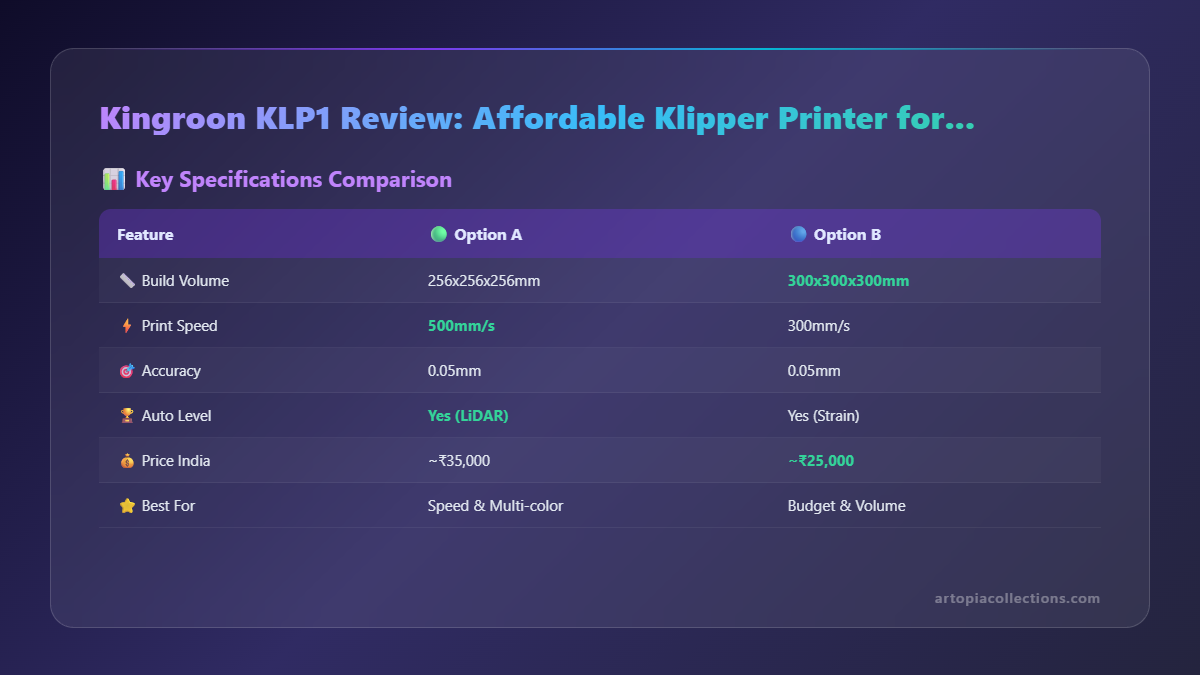 This is probably the biggest selling point. The KLP1 comes with Klipper pre-installed on its own mainboard. No need for a separate Raspberry Pi or tinkering with command lines just to get it running. You power it on, connect it to your Wi-Fi, and access the web interface (Mainsail, in this case) through your browser. Boom! You're in Klipper land. This plug-and-play Klipper experience is invaluable, especially for those who are intimidated by the setup process. You get all the benefits of Klipper – input shaping, pressure advance, macros, remote control – without the headache of building it yourself. The UI is clean, intuitive, and allows me to monitor prints, change settings, and even upload new G-code from my phone while I'm out getting chai.
Direct Drive Extruder
Another big win. The direct drive extruder means the motor that pushes the filament is right on top of the hotend. This gives you much better control over filament flow, particularly for flexible filaments like TPU. Retractions are shorter and more precise, reducing stringing and blobbing. I've printed some intricate TPU phone cases and drone parts on this machine, and it handles them like a champ. Plus, it makes swapping nozzles or clearing clogs a little bit easier, in my opinion.
Auto-Bed Leveling (ABL)
 It comes with a CR-Touch style probe, which is a blessing. Consistent first layers are the foundation of every successful print, and a good ABL system takes a lot of the guesswork out. After the initial calibration, I rarely have to worry about my first layer adhesion, which saves me so much time and filament. It just works, and that’s what you need when you're running multiple machines and managing customer orders.
Enclosed Printing Chamber
This is a double-edged sword, honestly. The KLP1 is enclosed, which is fantastic for printing high-temperature, warp-prone materials like ABS, ASA, or Nylon. The enclosed chamber helps maintain a stable, warm environment, drastically reducing warping and layer delamination. I’ve had some really good results with ASA for functional parts that need to withstand outdoor conditions. But, and this is a big "but" for most users, it can be a challenge for PLA. PLA needs good cooling, and an enclosed chamber traps heat. If you're primarily printing PLA, you'll likely need to keep the door open or even remove the top cover for optimal results, especially on longer prints to avoid heat creep and jamming. It's not a dealbreaker, but definitely something to be aware of.
The Setup Experience & First Prints
Okay, so it wasn't exactly a one-click setup, but it wasn't horrible either. The KLP1 comes mostly pre-assembled, so you’re looking at maybe an hour or two of putting it together. It’s mostly attaching the gantry, connecting some wires, and making sure everything is square. The instructions are… adequate. Not Prusa-level clarity, but certainly better than some of the cryptic manuals I’ve wrestled with. (And trust me, I've seen my share of head-scratching moments with printers.)
Once assembled, firing it up was straightforward. Connecting to Wi-Fi was easy, and accessing the Mainsail interface was a breeze. The initial calibration involved running a few macros from the Klipper interface – PID tune for the hotend and bed, setting Z-offset, and running the ABL mesh. This is where Klipper really shines; you can fine-tune everything remotely. My first test prints with a basic local brand PLA filament were surprisingly good. I ran a speed test, and even at 150mm/s, the corners were sharp, the layers were consistent, and there was minimal ringing. I then printed a few items from my shop, things like intricate desktop organizers and plant pot covers. The results were impressive for a printer in this price bracket. I even tried some Overture PETG, and after a little temperature adjustment, it came out beautifully. The direct drive definitely helped with the PETG stringing.
The Good, The Bad, and The "Hmm"
Let's break it down, because no printer is perfect, especially not at this price point.
The Good:
- Affordable Klipper CoreXY: This is its superpower. You're getting a complete, integrated Klipper experience with CoreXY kinematics for a price that's genuinely competitive in India.
- Speed & Quality: The combination of CoreXY, direct drive, and Klipper's input shaping/pressure advance means you can print fast *without* sacrificing too much quality. My production times have significantly dropped for many items.
- Integrated Klipper: The fact that it comes ready to go with Mainsail is huge. No extra hardware, no complex software setup. Just power on and go.
- Direct Drive: Excellent for flexible filaments and consistent extrusion.
- Enclosure (for specific materials): If you print ABS, ASA, or Nylon, this is a massive plus.
- Active Community: While Kingroon might not be as big as Creality, there's a growing community around their printers, including the KLP1, which means help is usually available online.
The Not-So-Good (or areas for improvement):
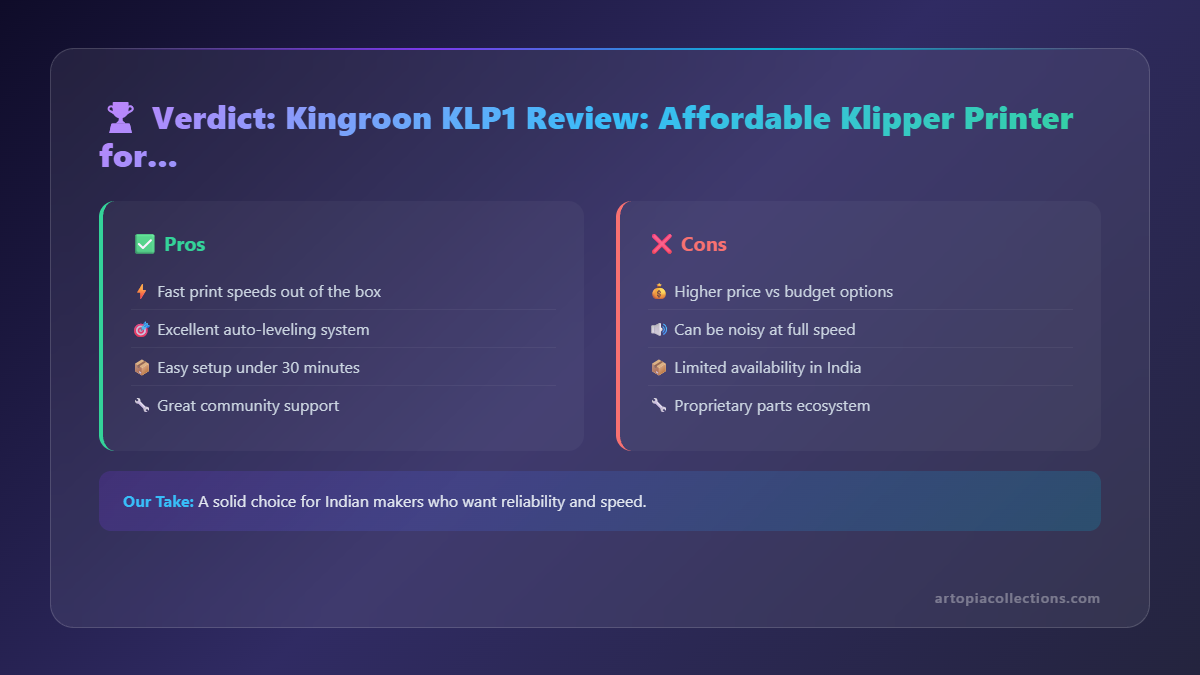
- Cooling for PLA in an Enclosed Chamber: As I mentioned, if PLA is your primary filament, you might need to keep the door open or find ways to improve internal cooling to prevent heat creep and heat-related artifacts.
- Firmware Quirks (Initial Stages): Early batches, as with many new printers, had some minor firmware bugs. Kingroon is pretty good about releasing updates, but it might require flashing new firmware occasionally, which isn't for everyone. It's usually a simple process via the web interface, but still.
- Noise Level: It’s not whisper-quiet, especially when those fans kick in. For a print farm, it’s acceptable, but if it's in your living room, you might notice it.
- Local Support/Parts Availability: This is a common challenge for smaller brands in India. While you can order parts online, having readily available local service or spares is still a hit-or-miss situation. This isn't unique to Kingroon, mind you, but it's a consideration.
- Build Quality Nuances: While generally solid, some of the smaller components or plastic parts might not feel as premium as a printer costing 2-3 times more. But hey, you get what you pay for, and it's certainly functional.
Who is the Kingroon KLP1 For?
Honestly, I think the KLP1 is a fantastic option for a few different groups:
- Hobbyists ready to level up: If you're tired of your Cartesian printer's speed limits and want to experience Klipper and CoreXY without breaking the bank, this is a great entry point.
- Small Businesses on a Budget: This is where I fit in. If you need faster production, better quality, and remote management for your small 3D printing business but can't justify the cost of high-end machines, the KLP1 offers incredible value. It boosts productivity significantly.
- Tinkerers: If you like to fine-tune and optimize, the open-source nature of Klipper and the access to printer configuration files mean you can really dial this machine in to your exact preferences.
It's probably *not* for someone who wants an absolute "set it and forget it" machine with zero tinkering ever, like a fully enclosed, top-tier professional machine. But for everyone else in India who's been eyeing Klipper, it's a serious contender.
My Business Perspective: ROI and Productivity
For ArtOpiA Collections, the Kingroon KLP1 has been a welcome addition. It's not replacing my entire farm of Enders (yet!), but it's taking on the bulk of my high-speed, high-quality projects. The ability to print a detailed item in half the time means I can fulfill orders faster, take on more custom jobs, and reduce lead times for items listed on my online store. The remote monitoring capabilities through Mainsail are indispensable. I can be out sourcing materials or delivering orders, and still keep an eye on active prints, ensuring everything's running smoothly. That kind of efficiency is priceless for a small business operator wearing multiple hats.
The upfront cost of around ₹28,000 for my unit was recovered surprisingly quickly just from increased output and reduced print failures. Considering the prices of other Klipper 3D printers on Amazon.in, the KLP1 offers significant value.
Final Verdict: Is the Kingroon KLP1 Worth It for India?
Absolutely, with a few small caveats. The Kingroon KLP1 is a fantastic option for anyone in India looking to jump into the world of Klipper and CoreXY printing without burning a massive hole in their pocket. It delivers impressive speed and print quality, comes with Klipper pre-installed, and offers a solid direct-drive setup. Yes, you might need to tweak a few things, especially regarding PLA cooling, and you should be prepared for potential challenges with local support, but the core package is incredibly strong for its price.
If you're willing to do a little bit of learning and don't mind getting your hands (virtually) dirty with Klipper settings, this machine will reward you with fast, high-quality prints that can genuinely elevate your hobby or small business. It's not just a budget printer; it's a capable workhorse that truly brings advanced 3D printing within reach for many more enthusiasts and entrepreneurs in India. Go check it out!


